
Step 1: Log in to the FusionSolar application.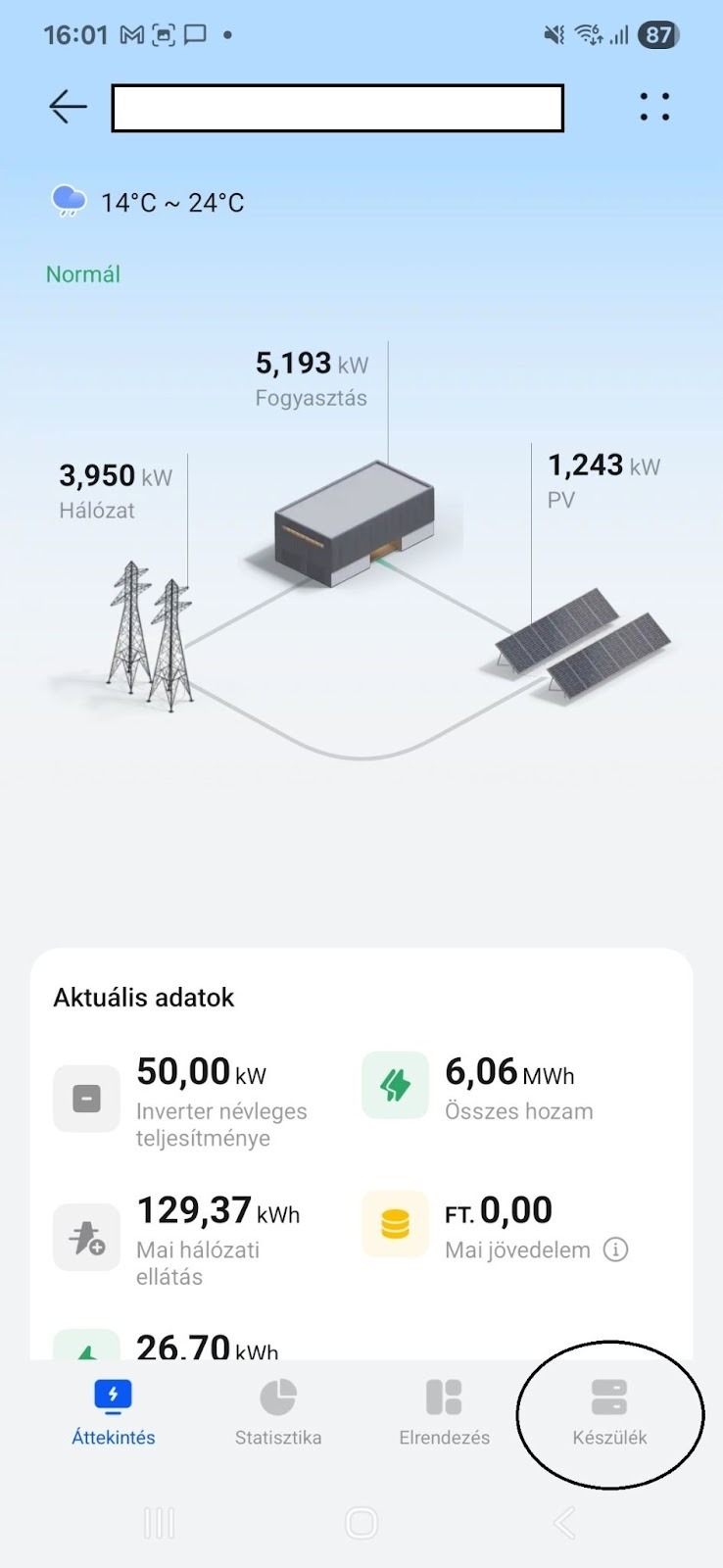
Under the Device menu in the lower right corner, you can find the system components.
Step 2: Enter the Device menu and select the Dongle device.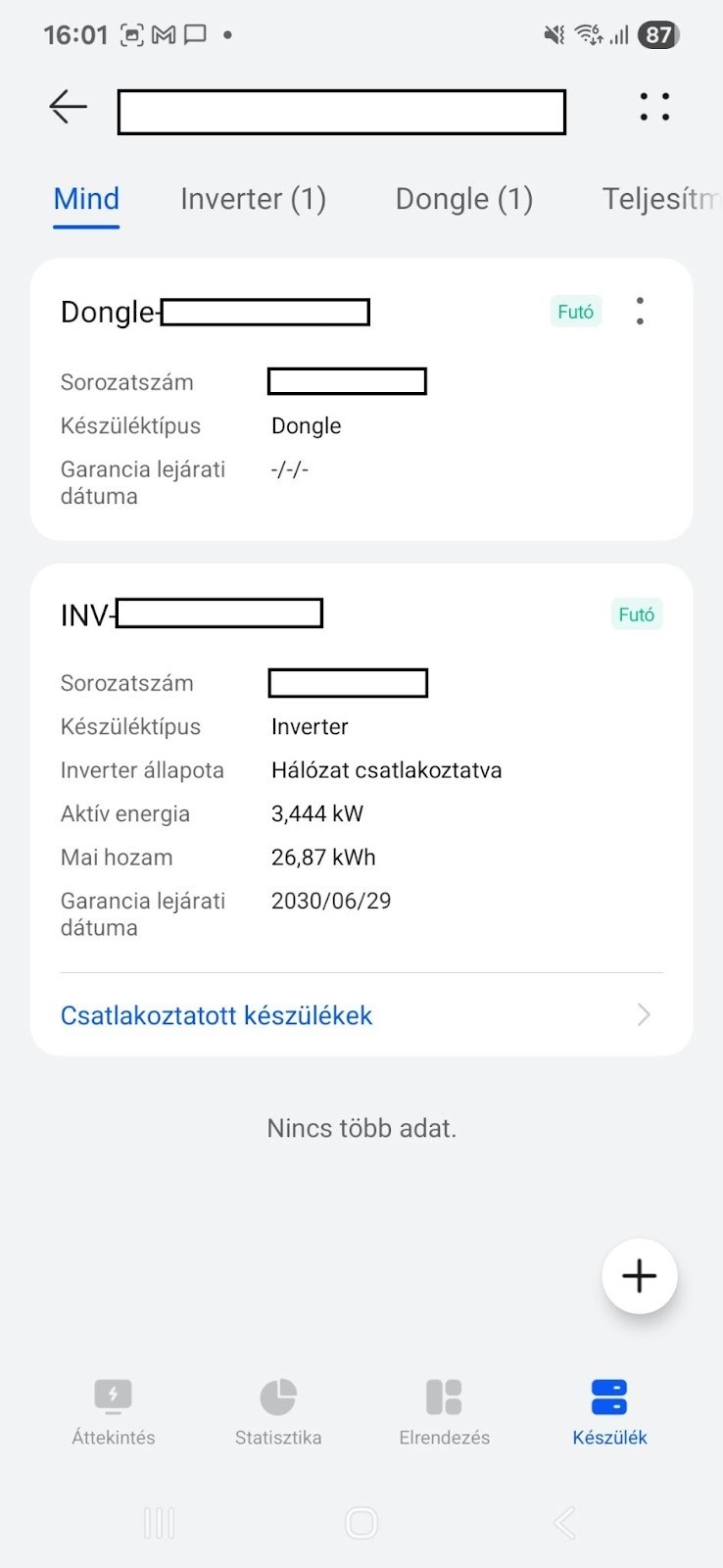
Step 3: After selecting the dongle, open the Settings by clicking on the four dots in the upper-right corner.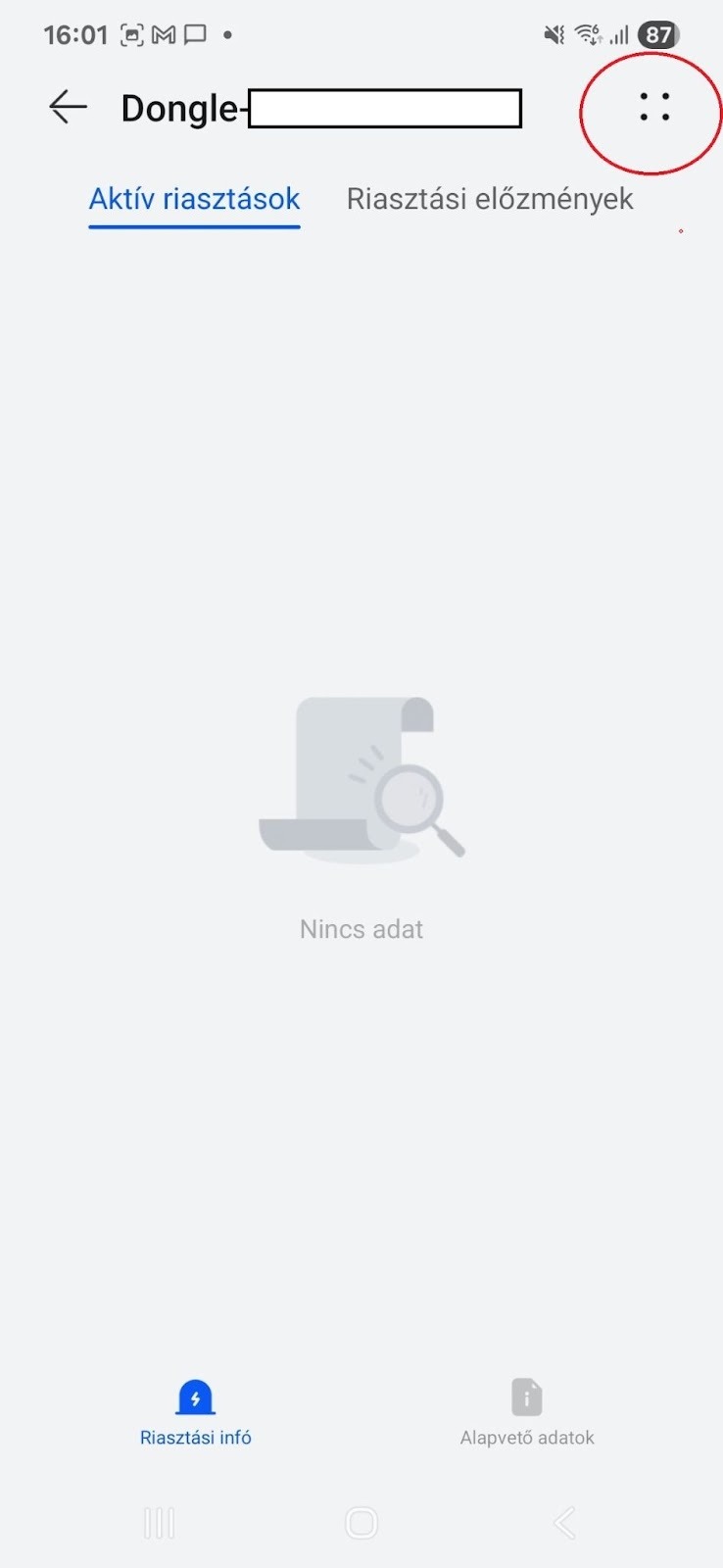
Step 4: The settings can be accessed under Parameter Configuration Result.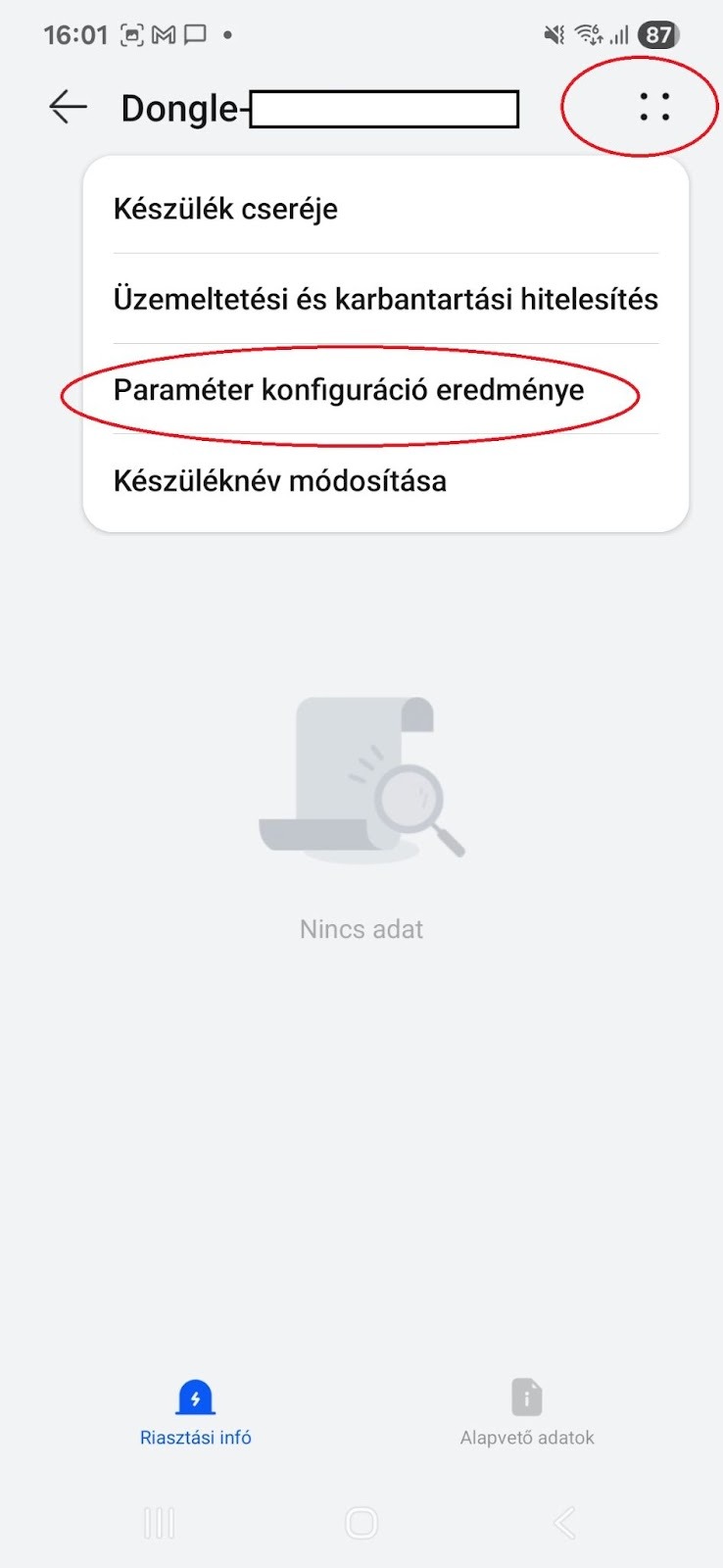
Step 5: Once inside the Parameter Configuration Result, locate the Active Power Control Mode option.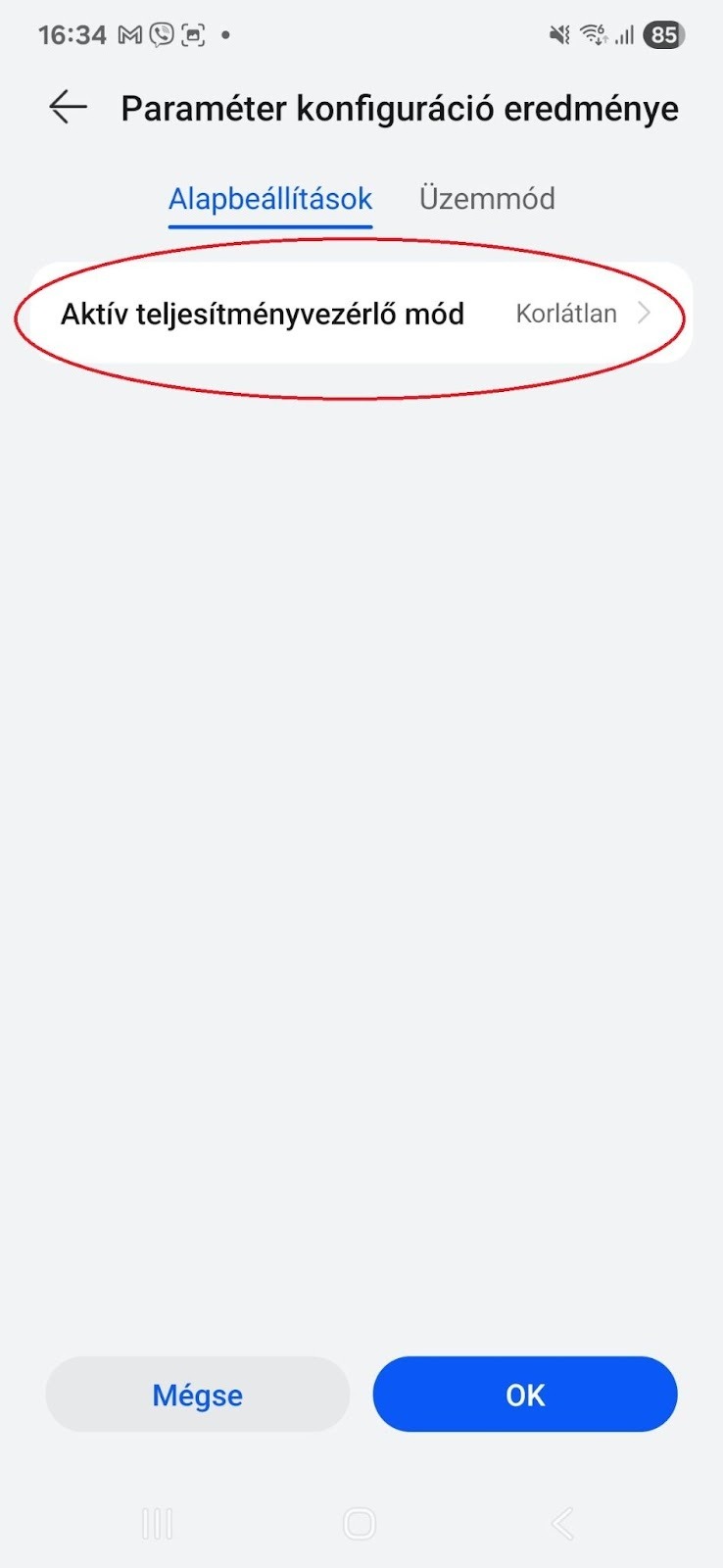
Step 6: Set the Active Power Control Mode to Zero Export Limitation.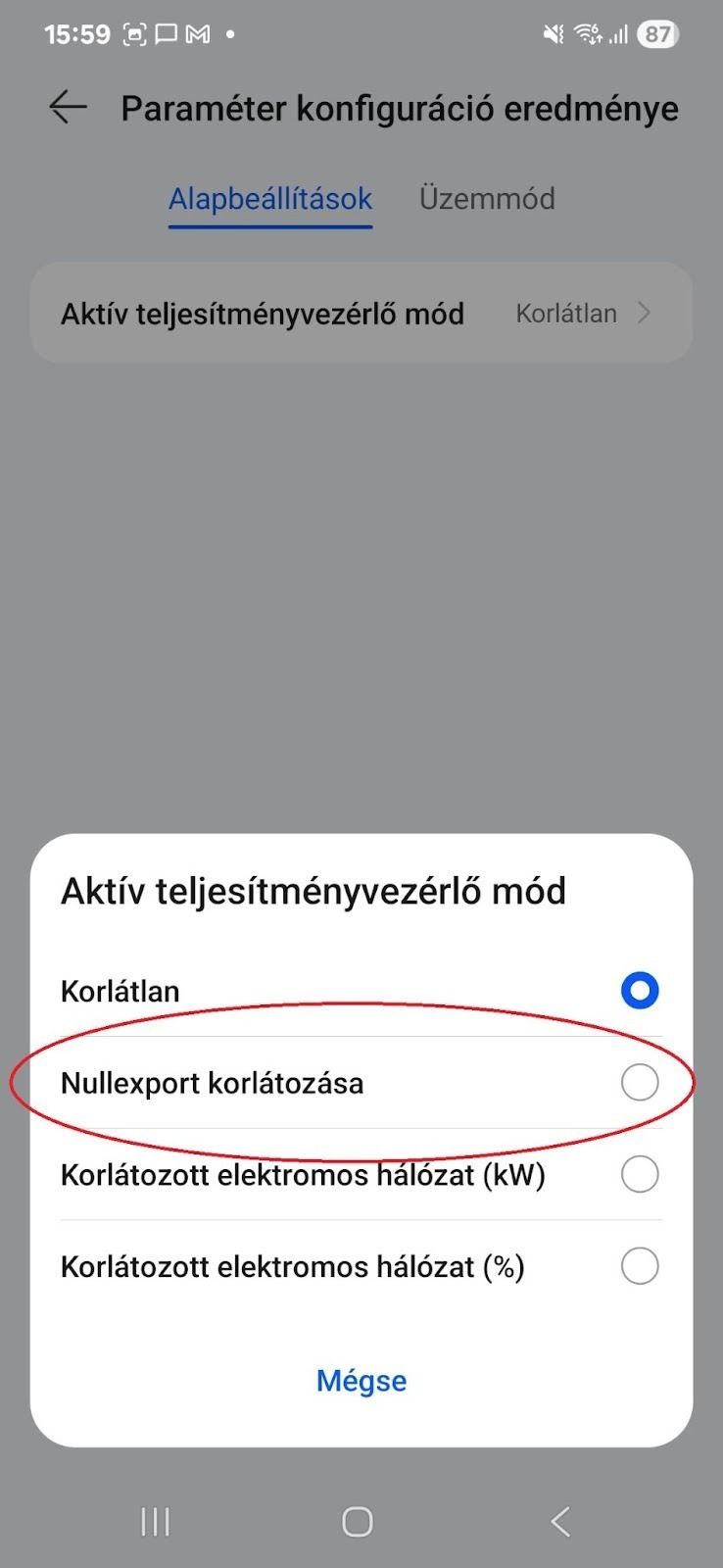
Step 7: Finally, select the chosen Zero Export Limitation mode and save the configuration.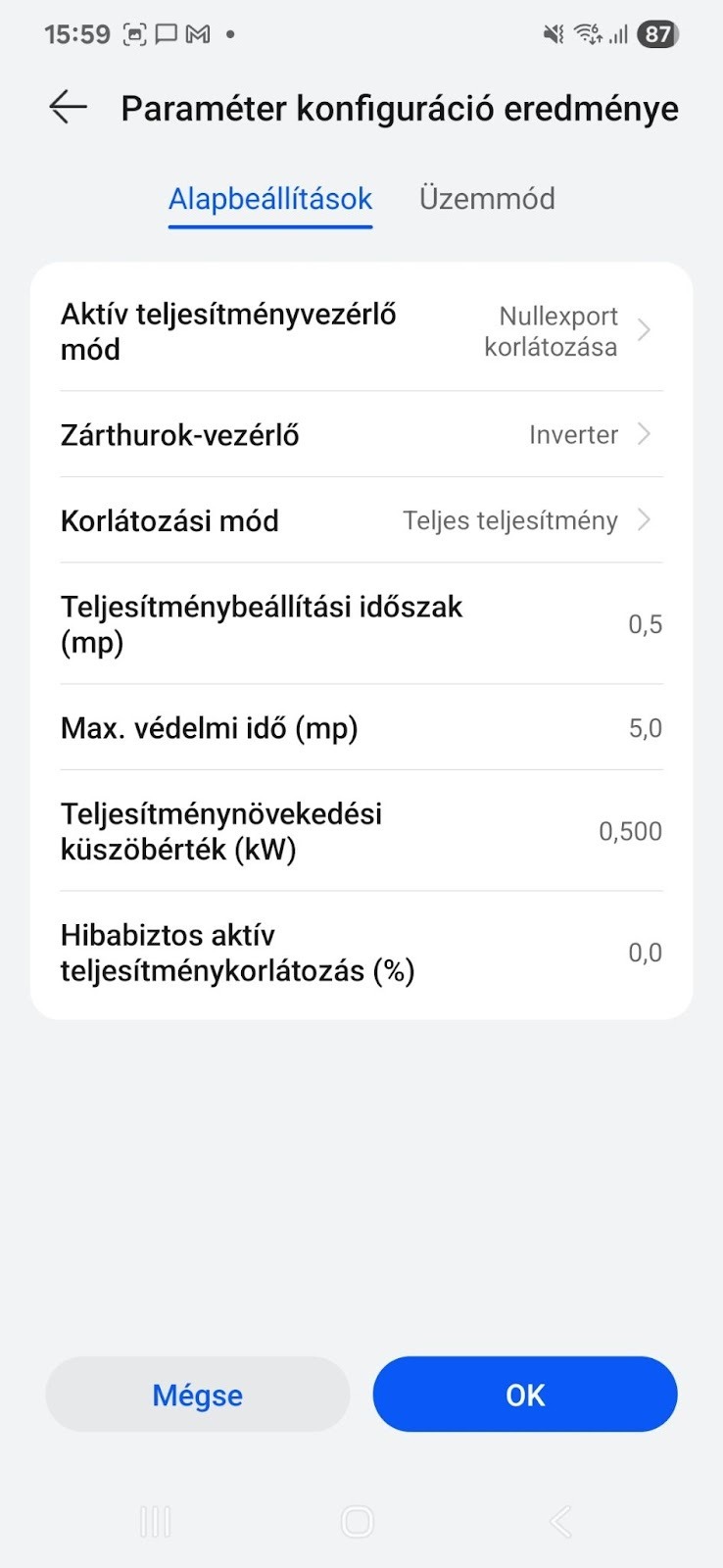
After completing these steps, feed-in limitation will be successfully configured on Huawei inverters.
If the system is controlled via EMMA or SmartGuard (which includes EMMA), the same configuration method applies — only select EMMA instead of the Dongle from the list of devices.