
Step 1: Open your profile
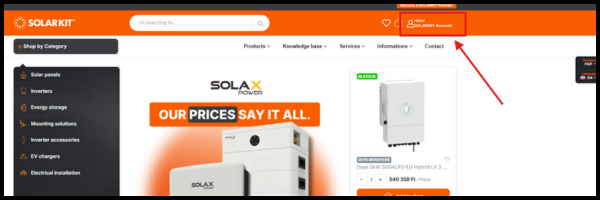
Click on your profile icon in the top-right corner of the webshop.
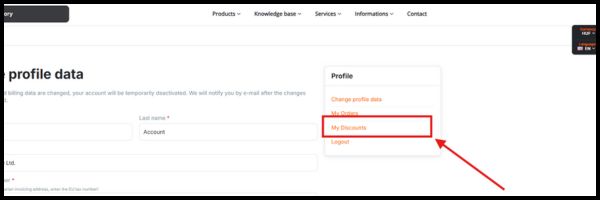
Then select “My Discounts” from the menu.
2. Browse products with active discounts
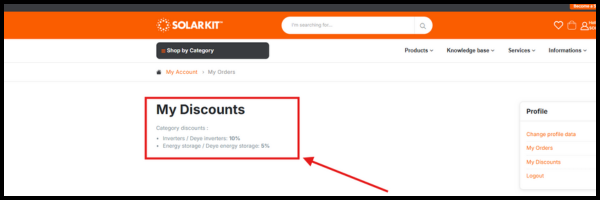
If you have category-specific or brand-specific discounts (for example, Deye inverter discounts), simply open the relevant product category and browse normally.
Add any discounted product to your cart — the system will automatically apply the correct discount.
3. Review your discount in the cart
Open your Cart page to view:
-
the discount applied,
-
the discounted amount,
-
and the final total after all discounts.
.png?width=600&height=200&name=B2B_EDM_2025_11_7_webshop_discounts%20(600%20x%20200%20px).png)
You’re all set — start shopping with your discounts!
Your discounts are applied automatically, so you can shop confidently knowing your prices are correctly displayed at checkout.