
Enabling the Time of Use function is essential when using battery systems. Without enabling it, the system will not draw energy from the battery while the grid is available.
This is the key point regarding this setting — if you want to use the battery in parallel with the grid, you must always enable it!
Now, let’s see how to access it.
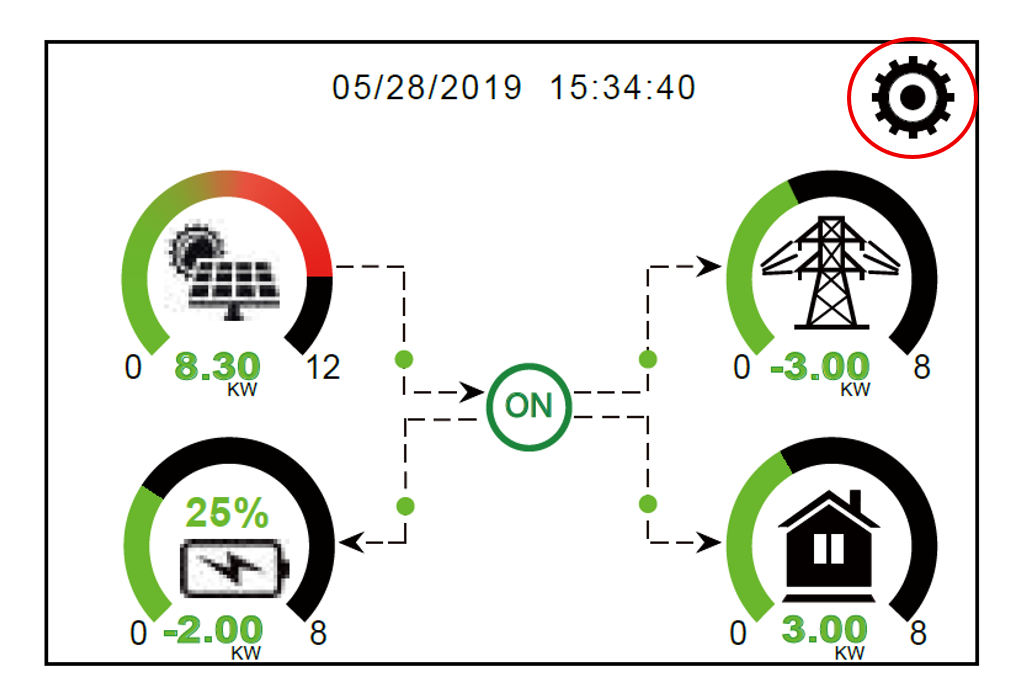
Step 1: Press the gear icon in the upper right corner.
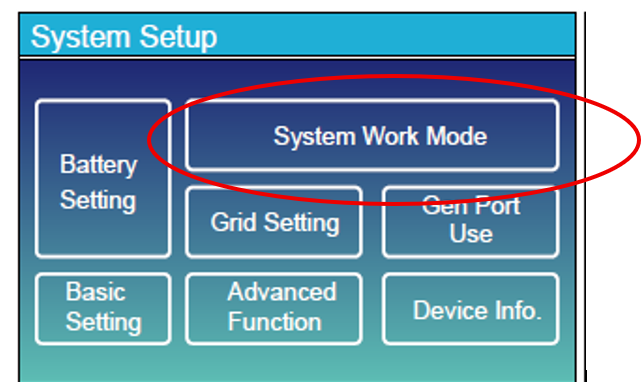
Step 2: Select System Work Mode.
Step 3: Swipe to the second page.
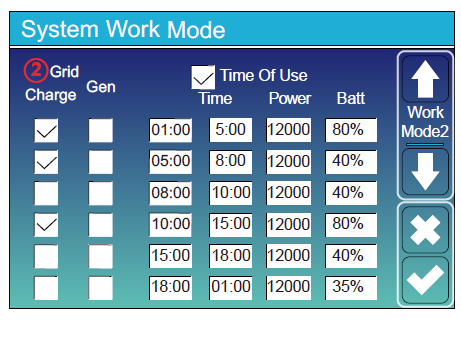
Place a checkmark at the top of the table. You’ll see a total of six rows, representing how many time segments the day can be divided into.
- The first two columns on the left control whether battery charging from the grid or from a generator is allowed during a specific time period.
- Then comes the time interval, followed by the maximum power allowed in that period.
- Finally, on the far right, you can set the battery level to which the battery may discharge during that period.
⚠️ Important: This value cannot be set lower than the Batt Low% parameter!
Step 4: Swipe to the third page and check that all days are selected.
That’s it — your Time of Use setup is complete!