
Step 1:
Log in to Deye Cloud.
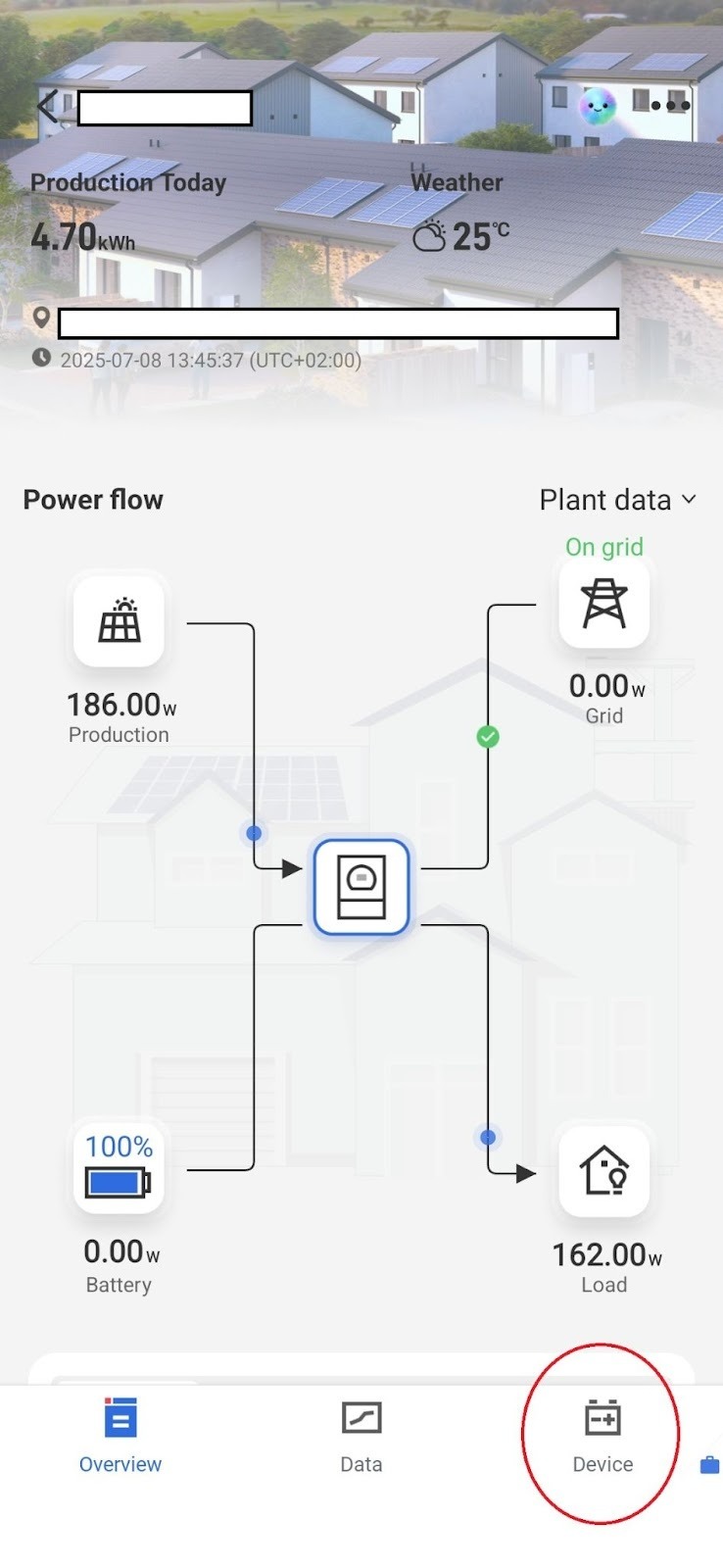
Step 2:
Select the Devices menu item on the bottom bar.
Step 3:
Within the Devices menu, select the inverter installed at the site.
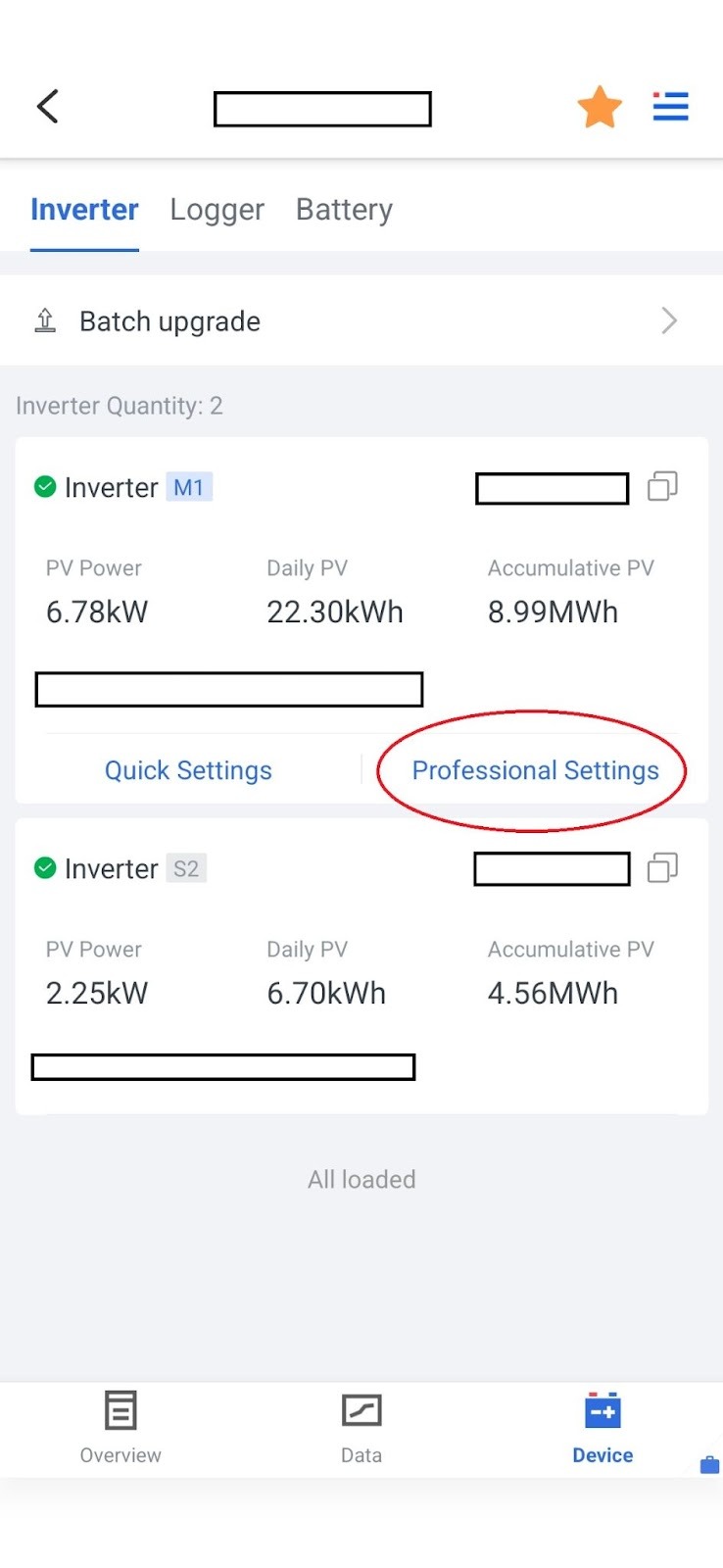
In this menu, choose Professional Settings, where you can configure more detailed settings for both the inverter and the battery.
Step 4:
Within the settings, you will find the battery options in the first lines. Before modifying any settings, always load the current configured values using the Read function.
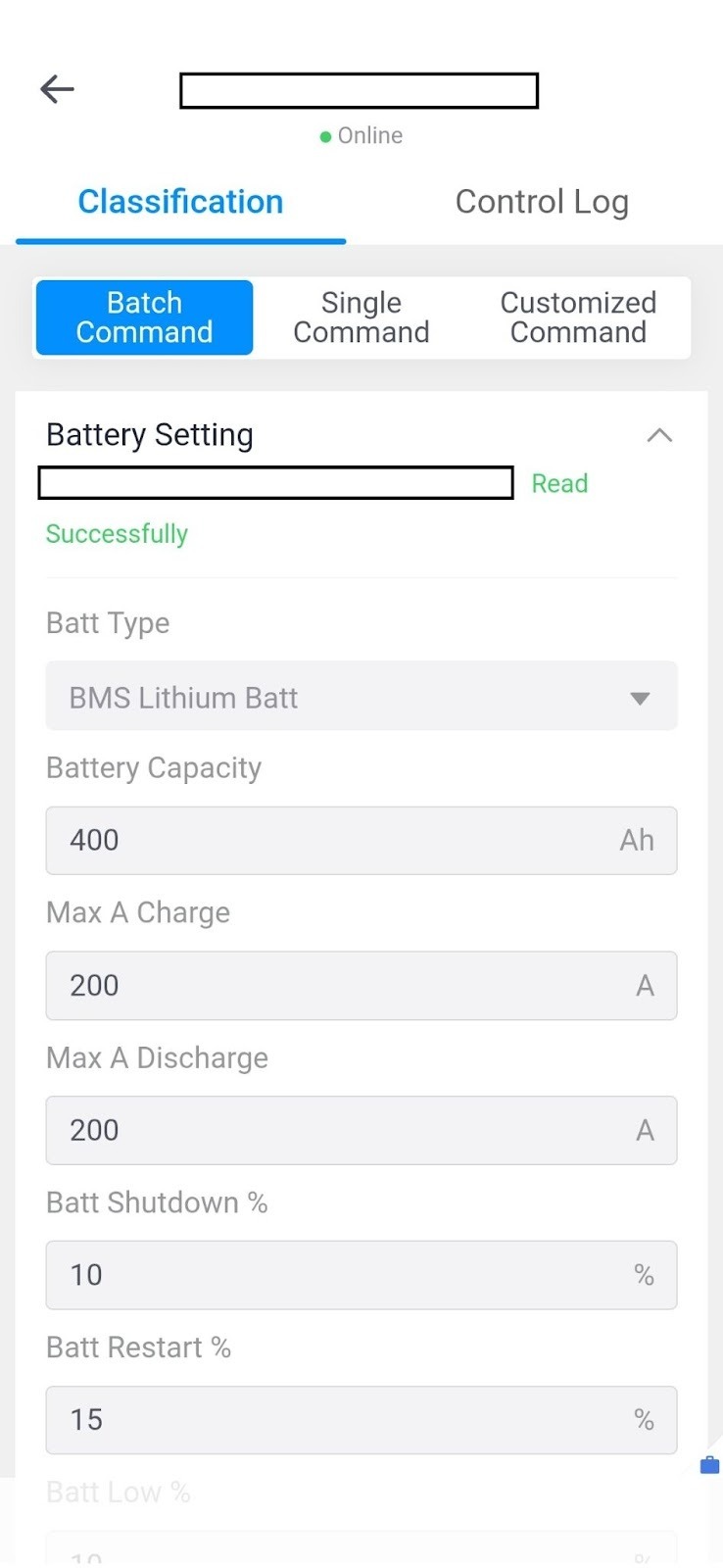
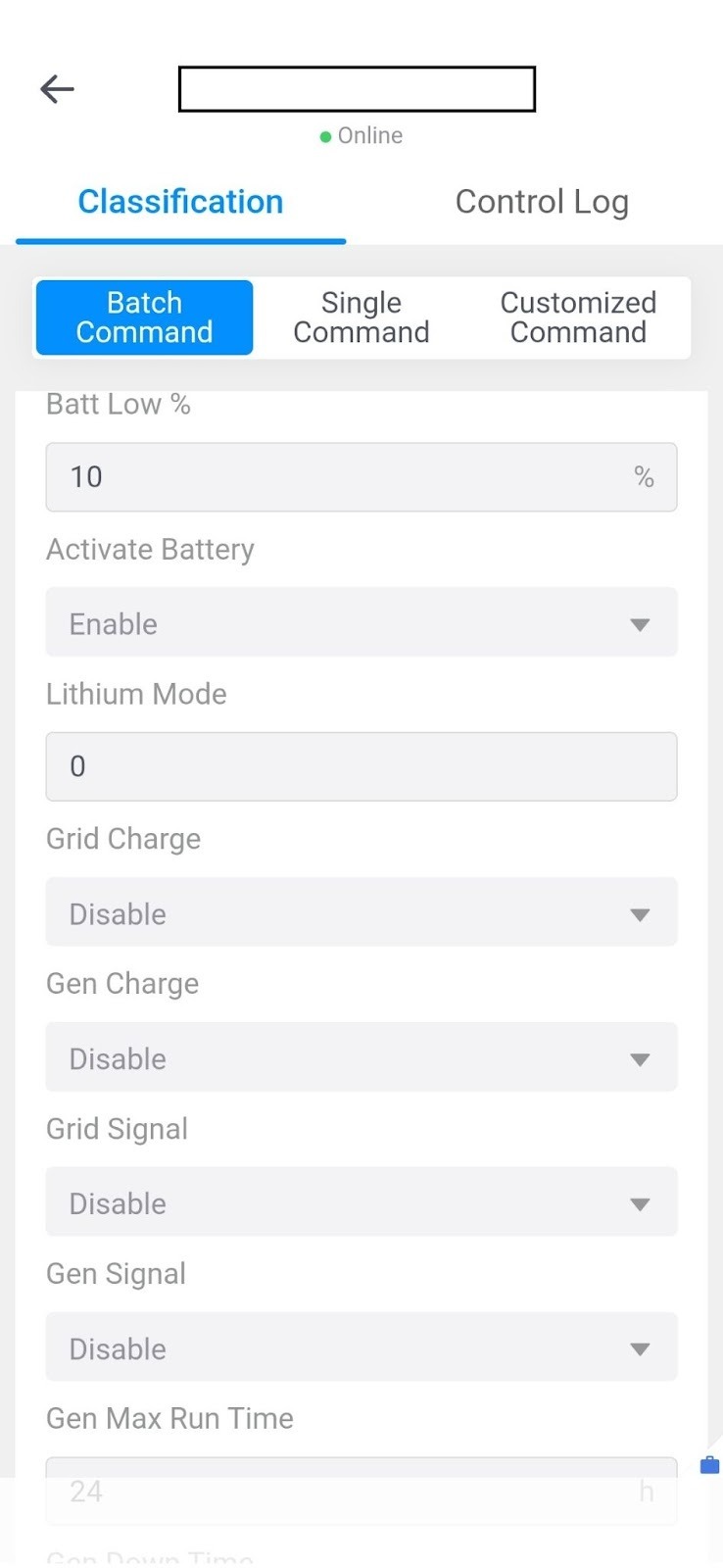
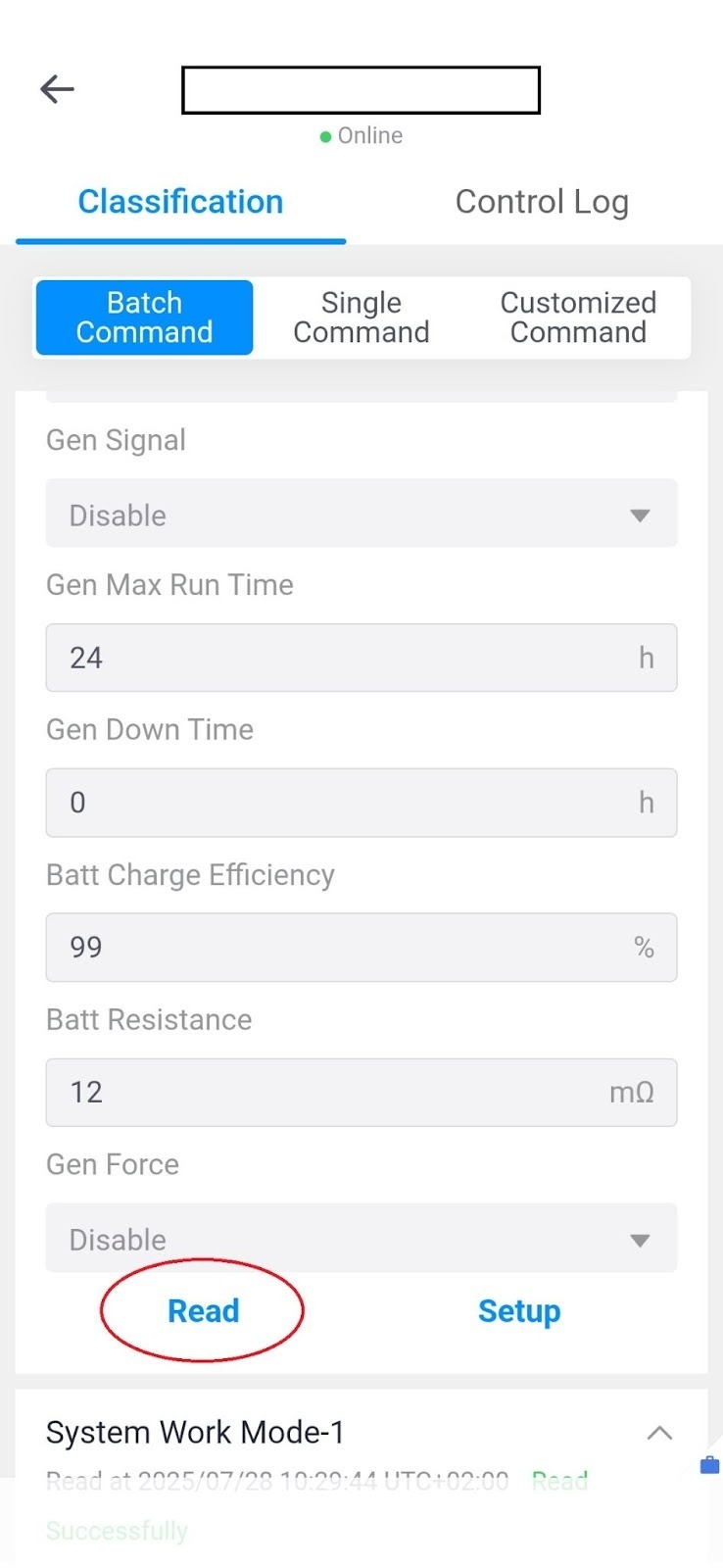
The Deye lithium battery communicates through BMS Lithium Batt control. Its capacity, as well as the charging and discharging parameters, depend on the battery type and the number of units connected. To fill in these parameters correctly, you will need the manufacturer’s datasheet, where these values are specified. It is important to note that different types of batteries may require different parameter values.
When using a Deye-branded battery, the Lithium Mode must always be set to 0.
In addition, the most critical parameters are the current settings (separate values for charge and discharge). These values are provided in the battery’s datasheet. In low-voltage systems, batteries are connected in parallel, meaning that the current values add up.
There are three percentage values that are especially important to configure:
- Battery shutdown: The state of charge (SoC) below which the battery must never discharge, in order to protect itself from deep discharge. (Recommended value: 10%)
- Battery low: The SoC limit below which the battery will not discharge if the grid is available. The difference between this and the battery shutdown value serves as a reserve in case of a grid outage. The recommended value depends on how frequently power outages occur at the site and how critical power continuity is.
- Battery restart: The SoC level to which the battery must be charged after reaching the shutdown value, before it can discharge again. It is recommended to set this value approximately 5% higher than the battery low level.