
Step 1: Log in to Deye Cloud.
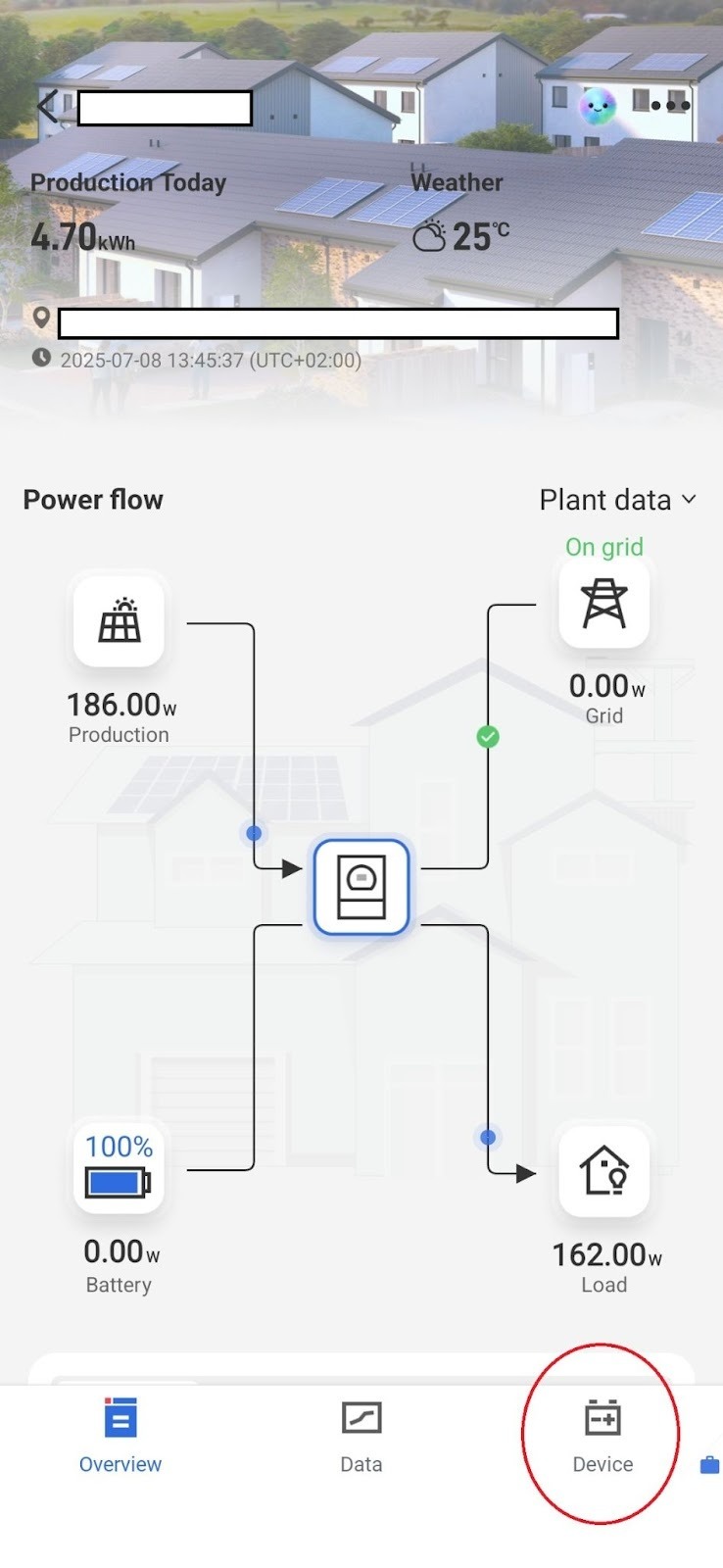
Step 2: Select the Devices menu at the bottom of the screen.
Step 3: Within the Devices menu, select the inverter located at the desired plant.
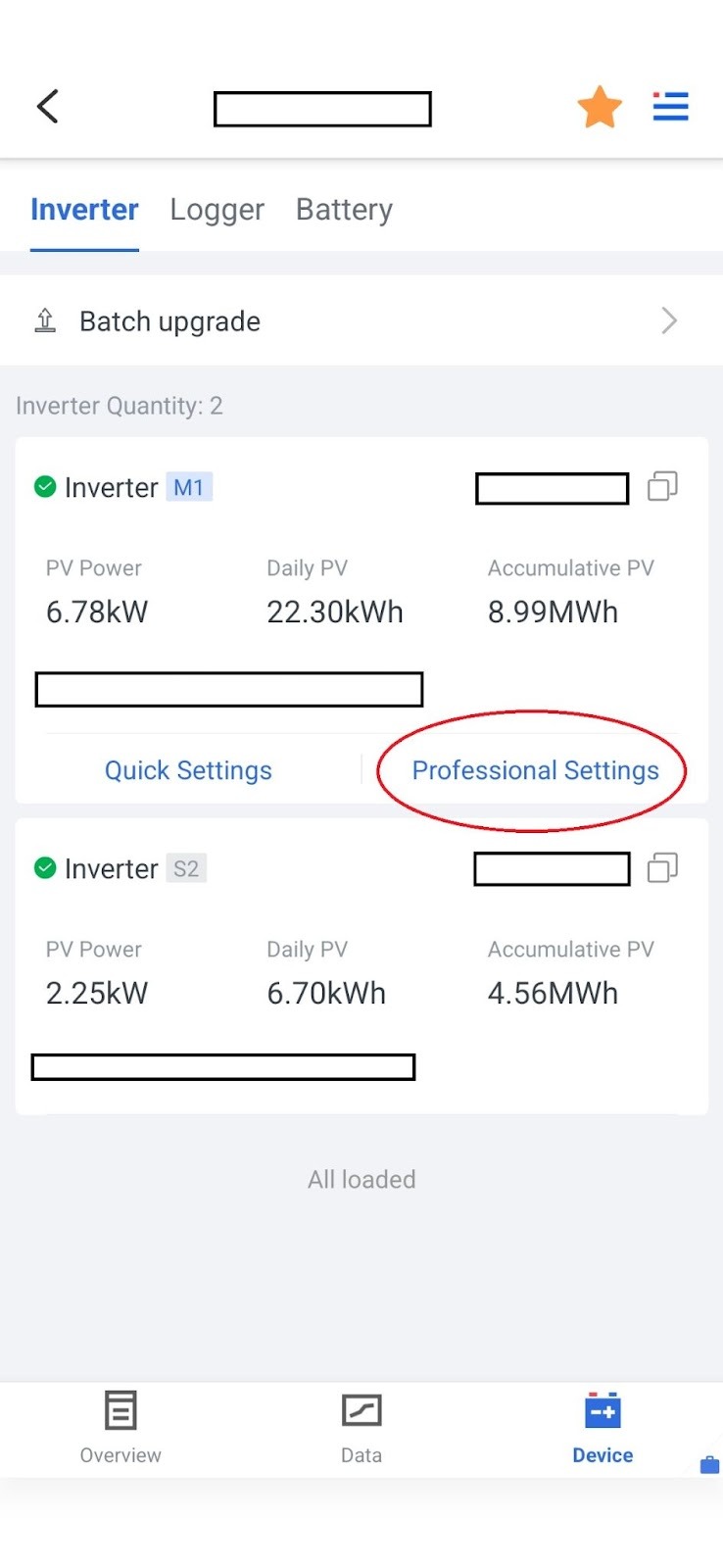
In this menu, choose the Professional Settings option, where you can configure detailed settings for both the inverter and the battery.
Step 4: Within the settings, the battery options appear at the top of the list.
Before making any modifications, always use the Read button to load the currently configured values.
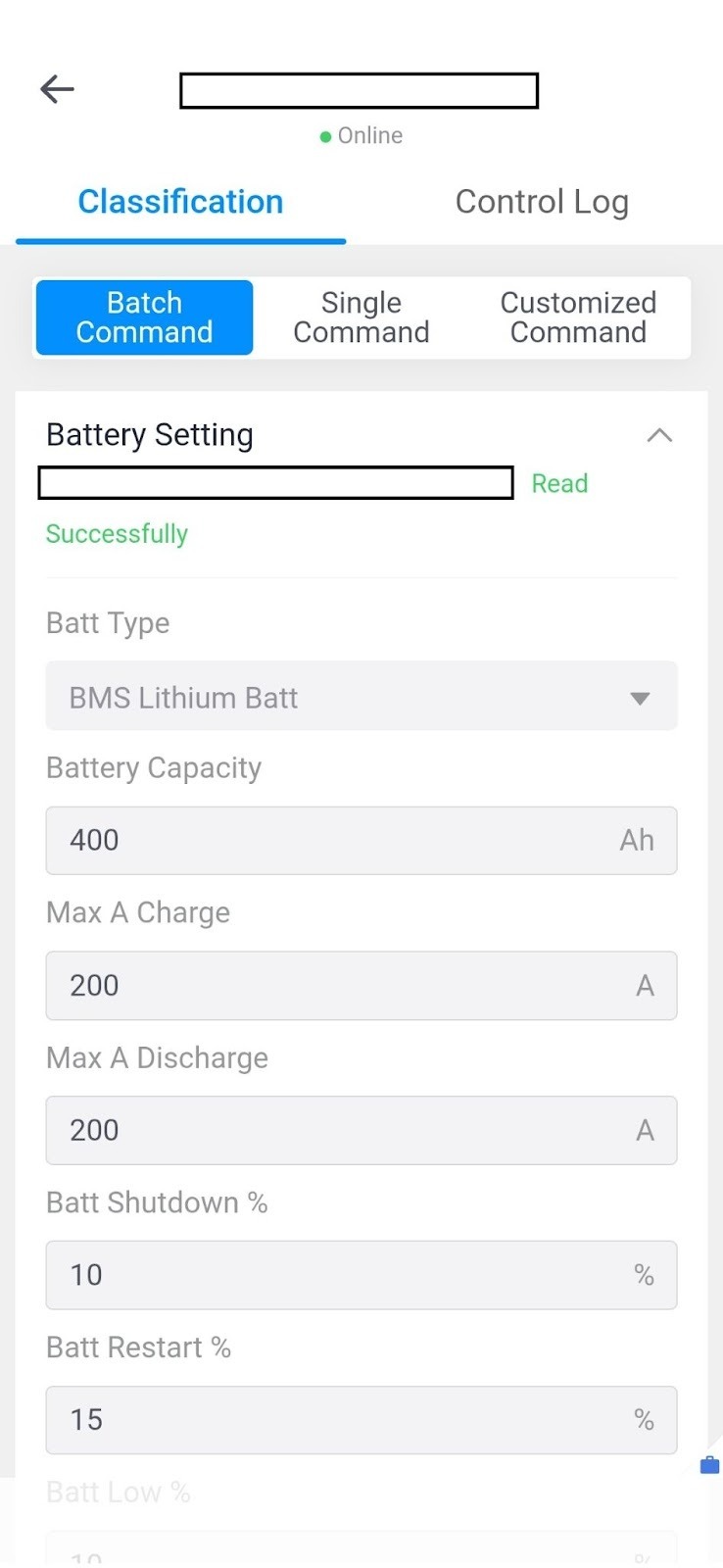
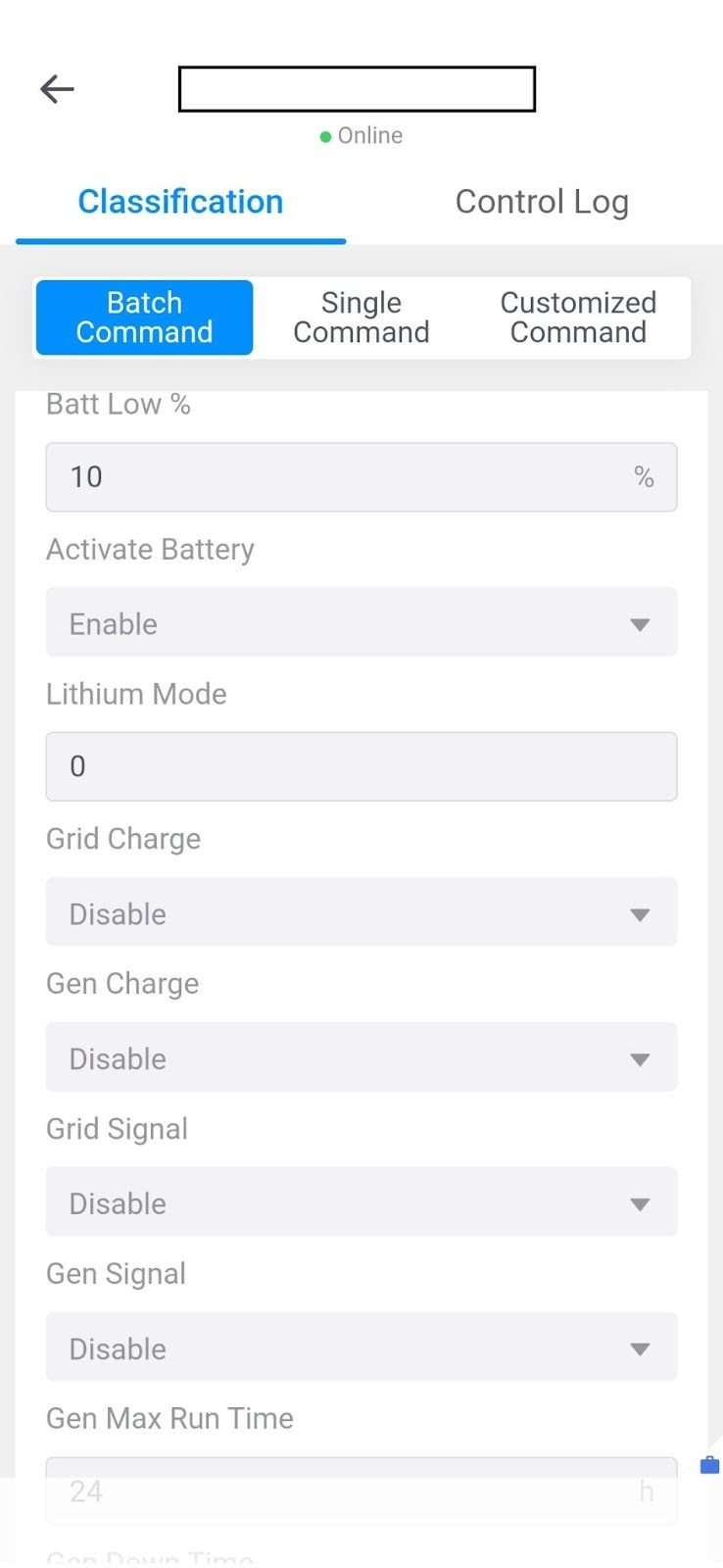
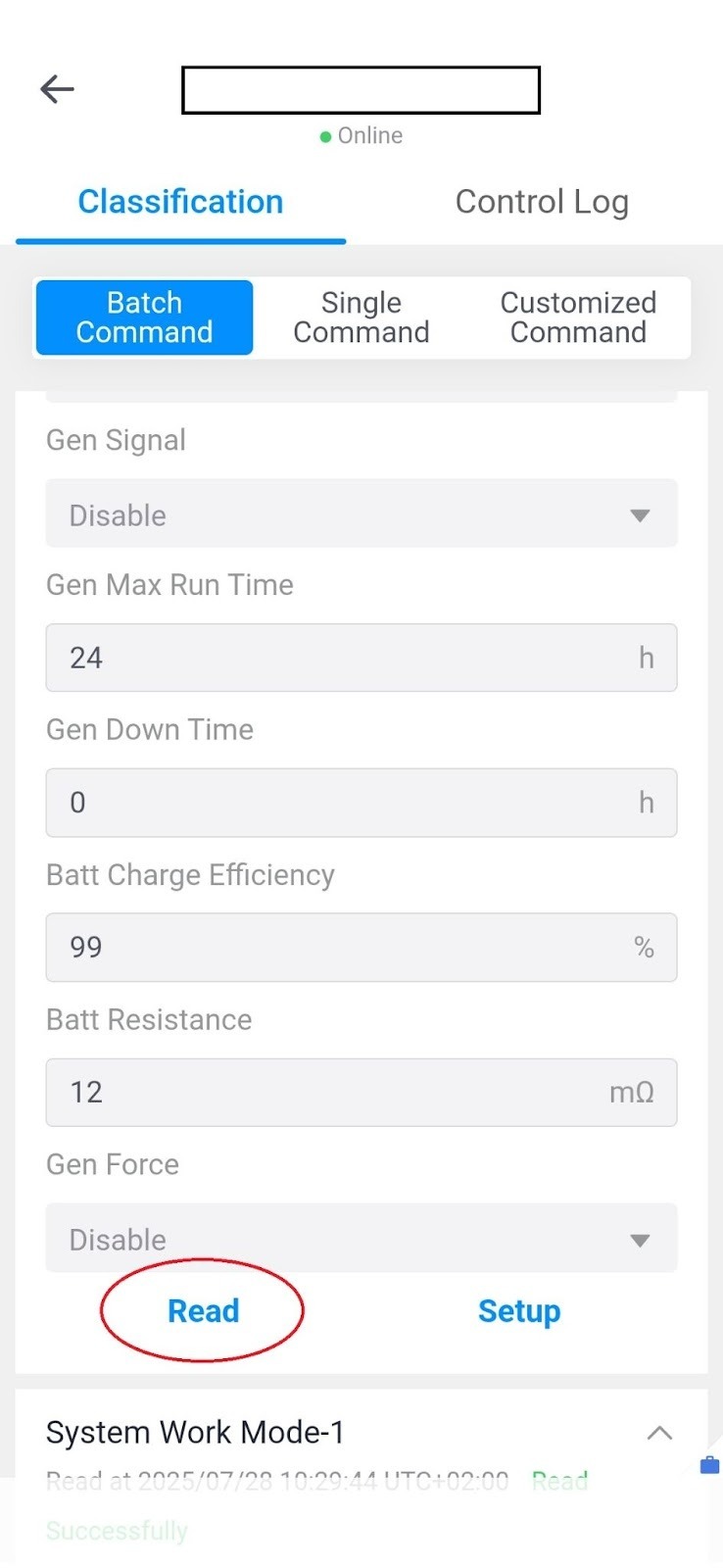
Step 5: Within this section, locate the Grid Charge option — set this to Enable if you wish to allow charging from the grid. Once enabled, you can specify at what state of charge (%) the system should begin charging from the grid.
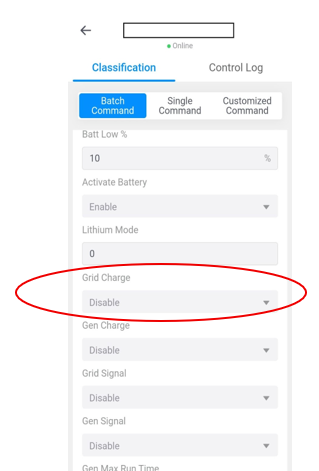
If you know your requirements precisely, you can fine-tune the target charge levels in the Time of Use table, and the system will manage this automatically.
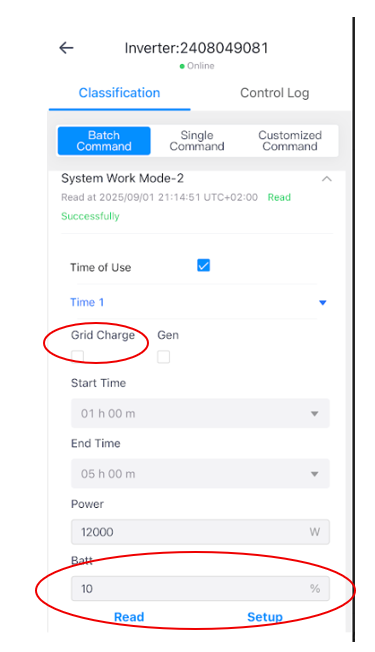
All six time slots can be configured individually.
If you tick the Grid Charge checkbox, grid charging will be active during the selected period, and the system will charge the battery up to the specified percentage value — provided there is sufficient time to do so.
Always start the configuration process using the Read function, and after modifying any values, use Setup to save the changes.