
Step 1:
Log in to the DeyeCloud application.
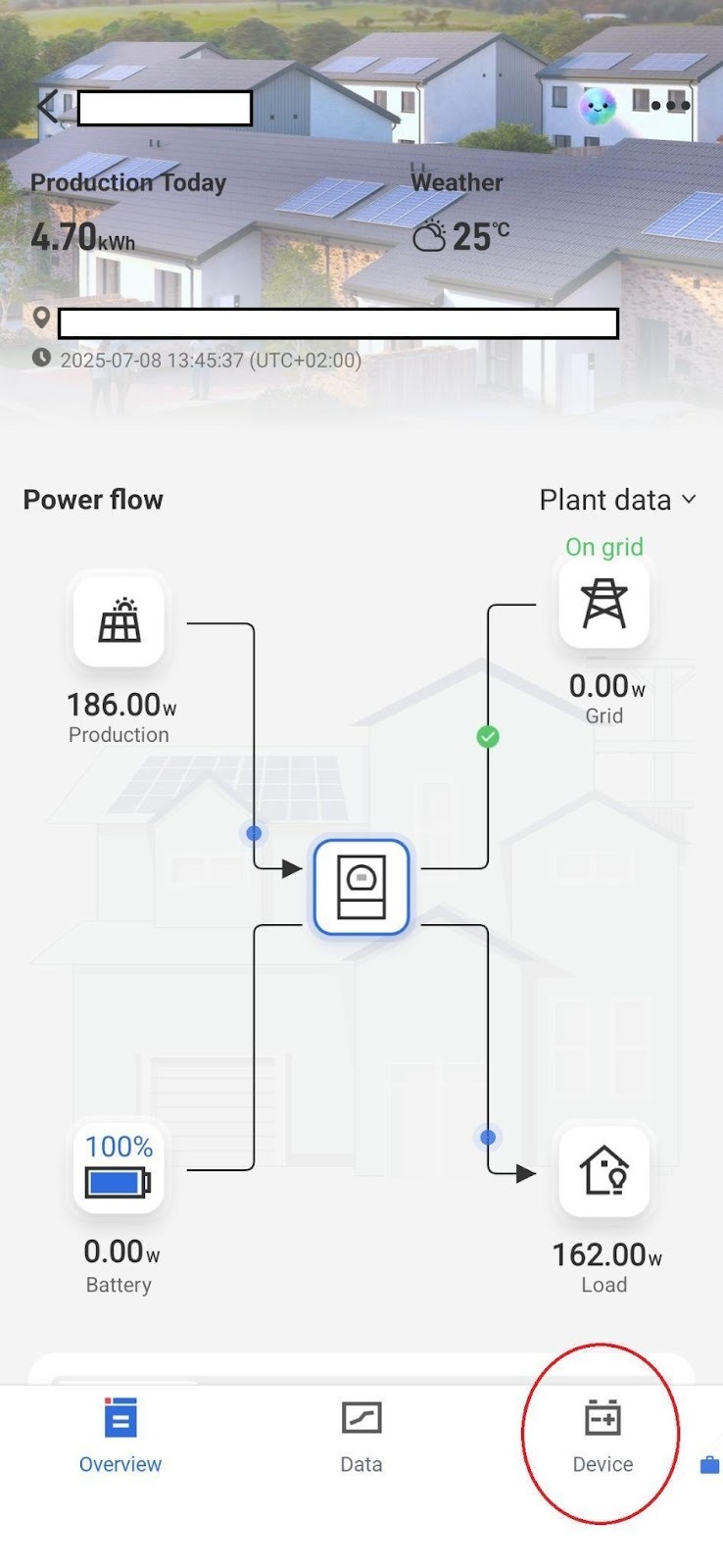
In the bottom-right corner, select the Device menu to display all devices associated with your system.
Step 2:
After selecting your inverter, go to the Professional Settings tab.
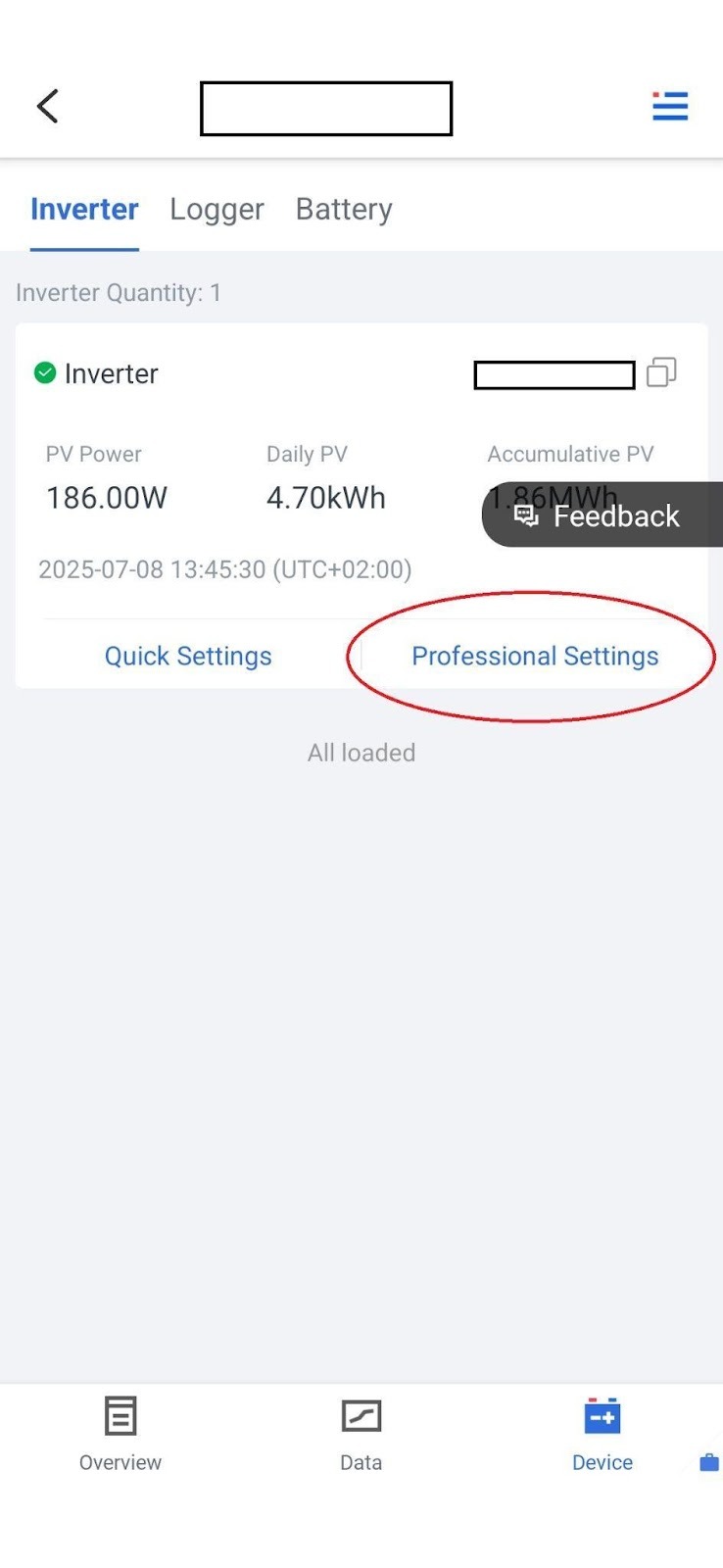
⚠️ Important: Before changing any parameters, use the Read option to load the current system configuration.
Step 3:
Within these settings, locate the System Work Mode option.
This is where you can define the inverter’s operating behavior.
To enable feed-in limitation, the System Work Mode should generally be set to Zero Export to CT.
In some cases, Zero Export to Load may also be used.
The Solar Sell option must always be disabled to achieve proper feed-in restriction.
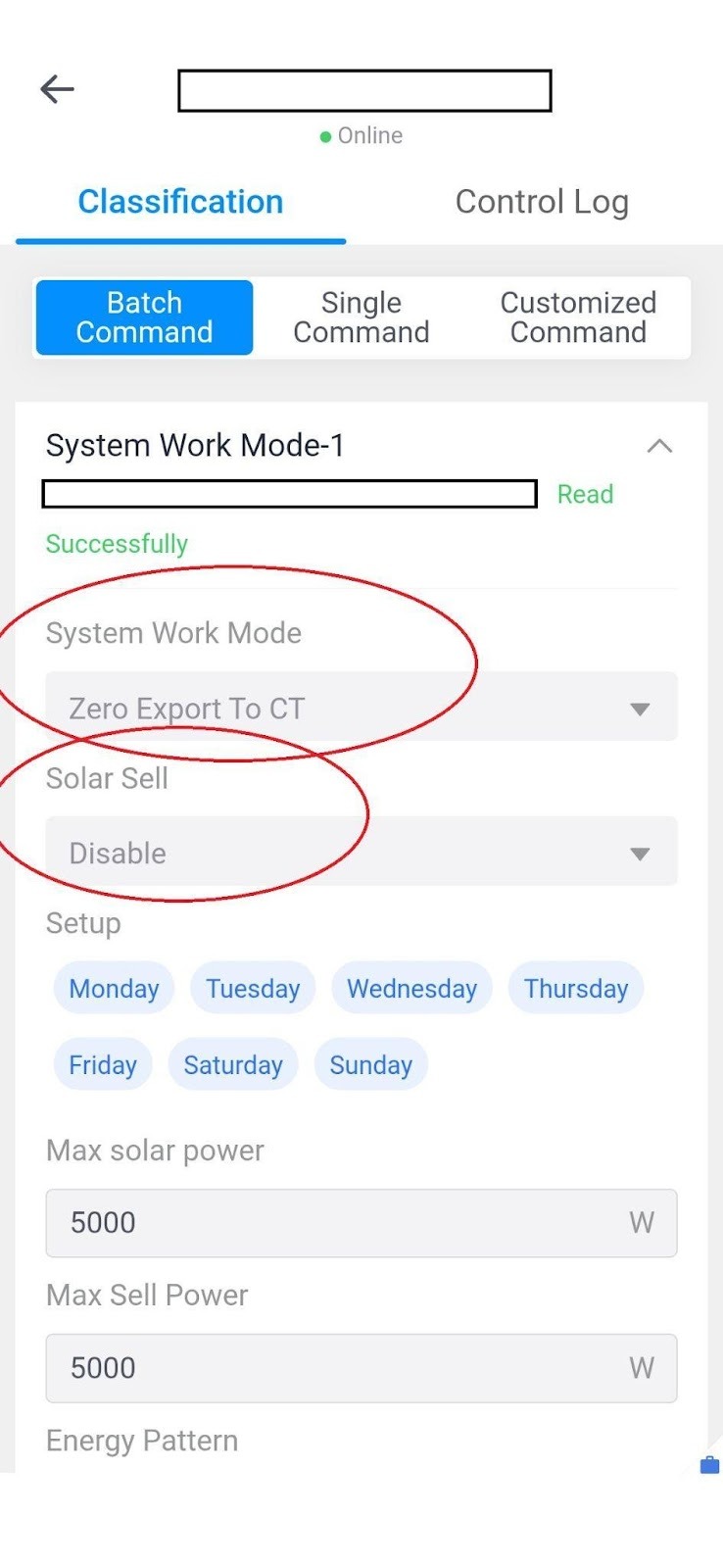
The Zero Export to CT mode ensures that the hybrid inverter, using CT current transformer clamps, detects the power consumption on the grid input line and limits output so that it does not exceed the consumption.
As a result, the inverter supplies only local loads and battery charging, preventing any energy from being fed into the grid.
Step 4:
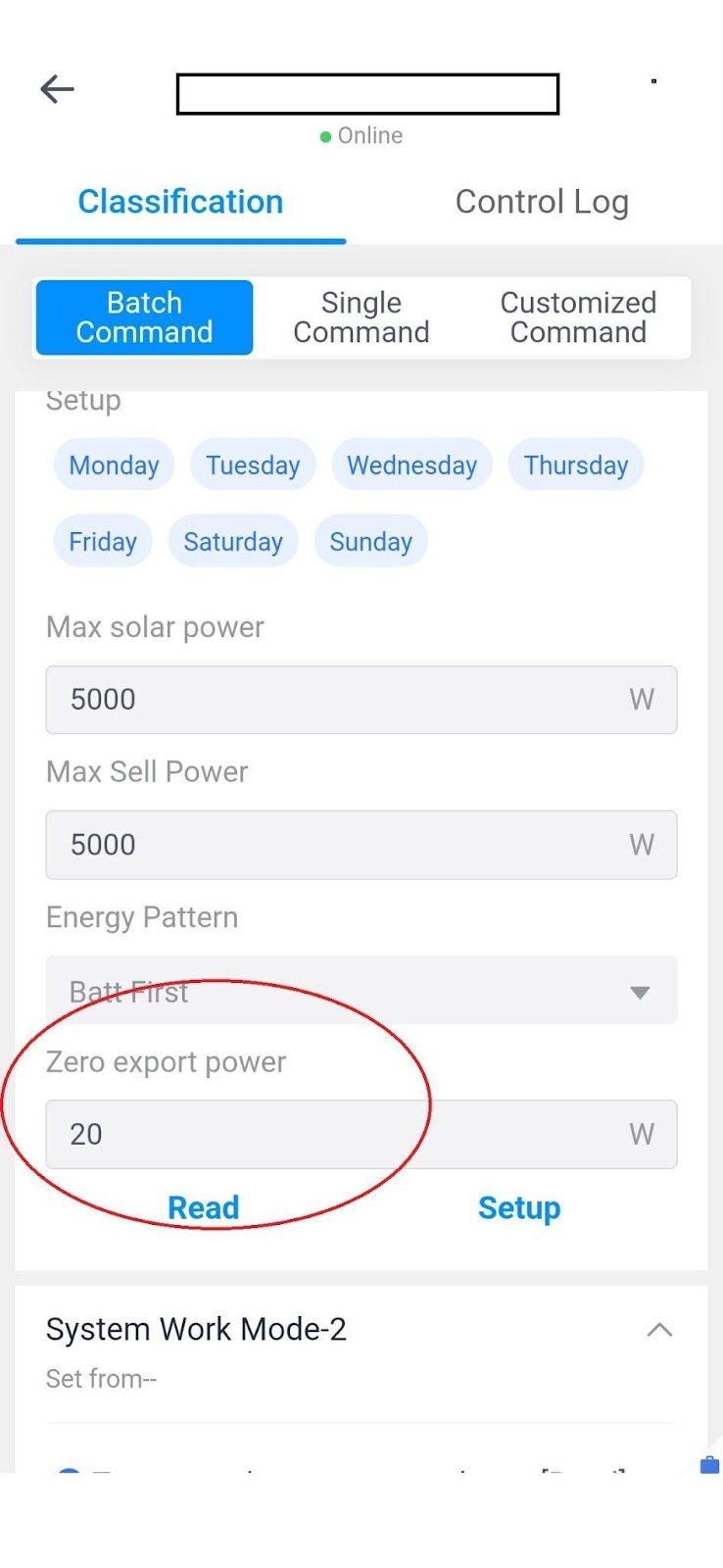
If feed-in to the grid is still observed, you can fine-tune it by increasing the Zero Export Power value.
This parameter defines the minimum grid power import required for the inverter to maintain balance and prevent energy from flowing back to the grid.
By following these steps, feed-in limitation (Zero Export Protection) can be successfully configured on Deye inverters.