
Although inverter data can also be viewed on the screen, the online interface provides a much clearer overview.
1.First, open Deye Cloud.
2.Select the plant where you want to view the data.
3.In the upper-right corner, choose the Devices menu.
4.Click on the inverter series name, or click the entire row (it will be highlighted in blue to confirm the correct selection).
5.Scroll down to the bottom of the pop-up window — you should see the following: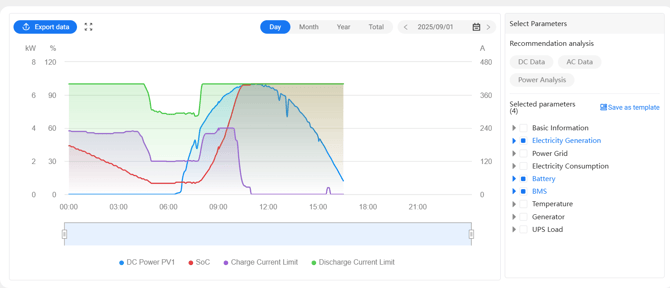
6.Here, all data can be displayed. You can select which groups or parameters you want to view or hide, or even enable an entire category. Deye will plot all selected data on the curve (therefore, it’s recommended not to select too many parameters at once).