
This setting is particularly important when the batteries are installed outdoors or in unheated environments. If the cell temperature becomes too low, the protection limits will prevent the battery from operating. The built-in heating film is designed to prevent this.
By default, heating is disabled in these systems, so it must be manually enabled.
Heating Levels:
- Low → Heats the cells from 0 °C to 10 °C
- Medium → Heats the cells from 10 °C to 15 °C
- High → Heats the cells from 20 °C to 23 °C
Since battery performance is already limited between 0–10 °C, it is recommended to use the Medium mode.
Configuration Steps:
- Open SolaX Cloud.
- Select the plant where you want to enable heating.
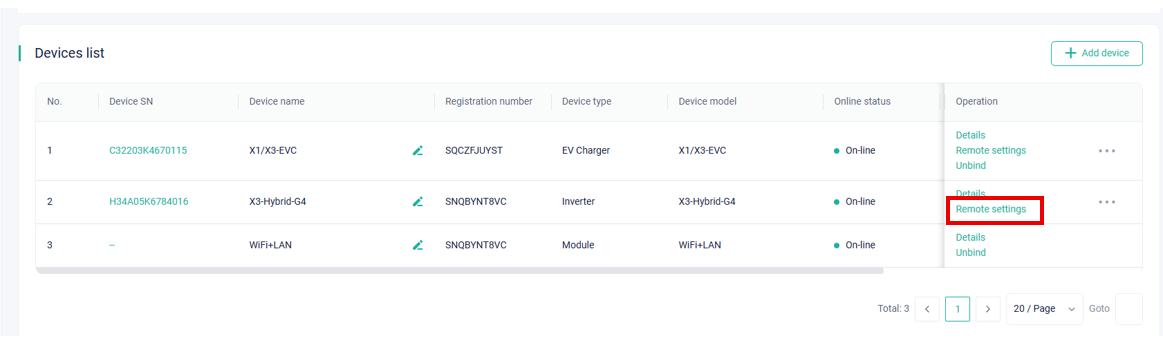
- Go to the Devices menu.
- Next to the inverter, choose Remote Settings
- Select the Settings menu.
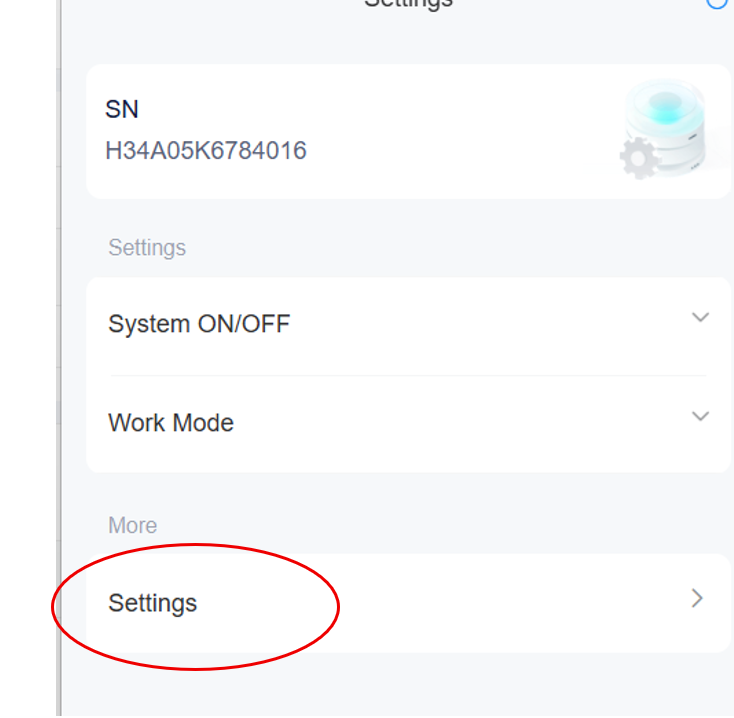
- Enter your installer password.
- Choose the Advanced option.
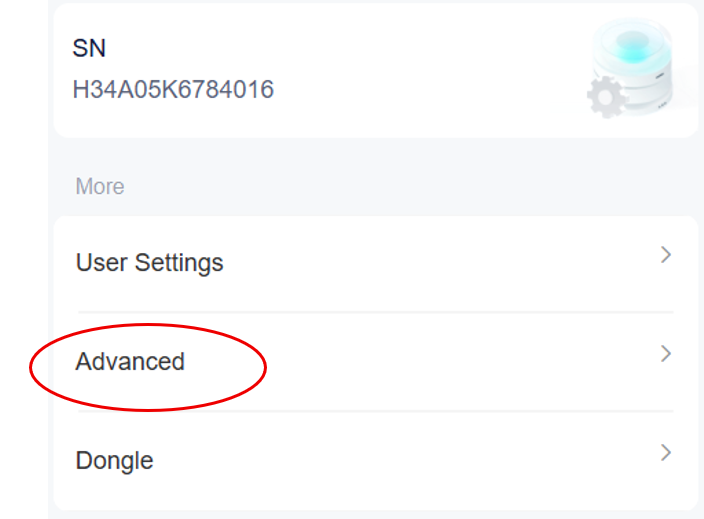
- Scroll down to find Battery Heating
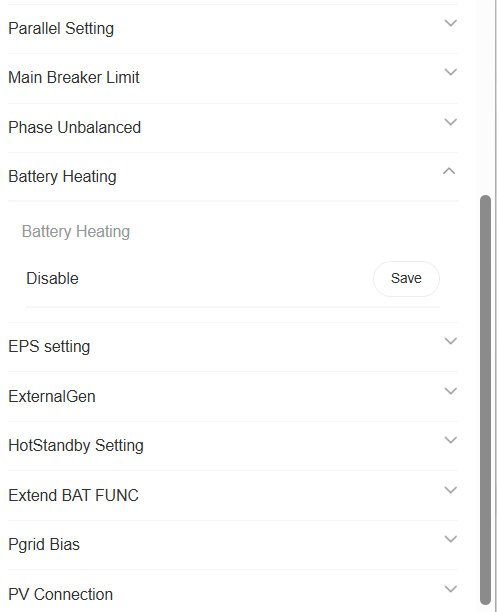
- It is disabled by default — first enable it, then choose a heating level.
- It is disabled by default — first enable it, then choose a heating level.
- After saving with the Enabled option, you can change the level. By default, the system uses Low.
- Change it to Medium, then save again.
Once configured, the battery will operate reliably even under winter conditions.