
In this article, we show how to export the required files.
- Log in to the FusionSolar application.
- Under the Plants menu, select the Log Export option.
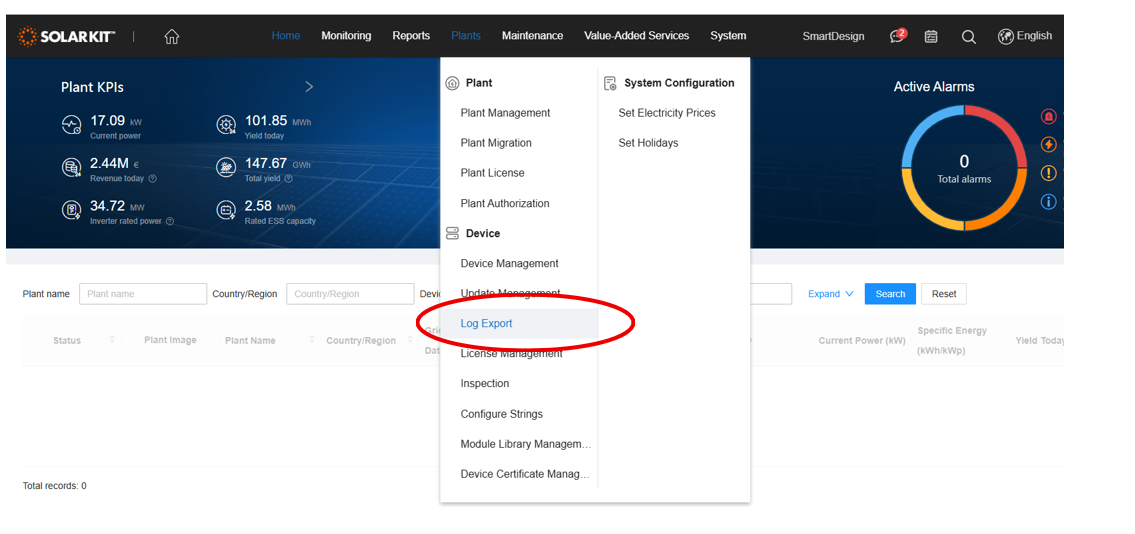
- Choose the Create Task command.

- Leave the default device selection (all devices).

- In the Plant tab, enter the plant name to find the specific site, then click the Search button.
- Once the plant is found, select all devices belonging to it, then click Submit.
- The system will save the files to your computer’s Downloads folder; this process may take some time (approximately 40 minutes).
- The file will be in .zip format, which should be attached and sent to Huawei without extraction.