
Step 1: Log in to the FusionSolar web interface.
Step 2: Select the Plant tab.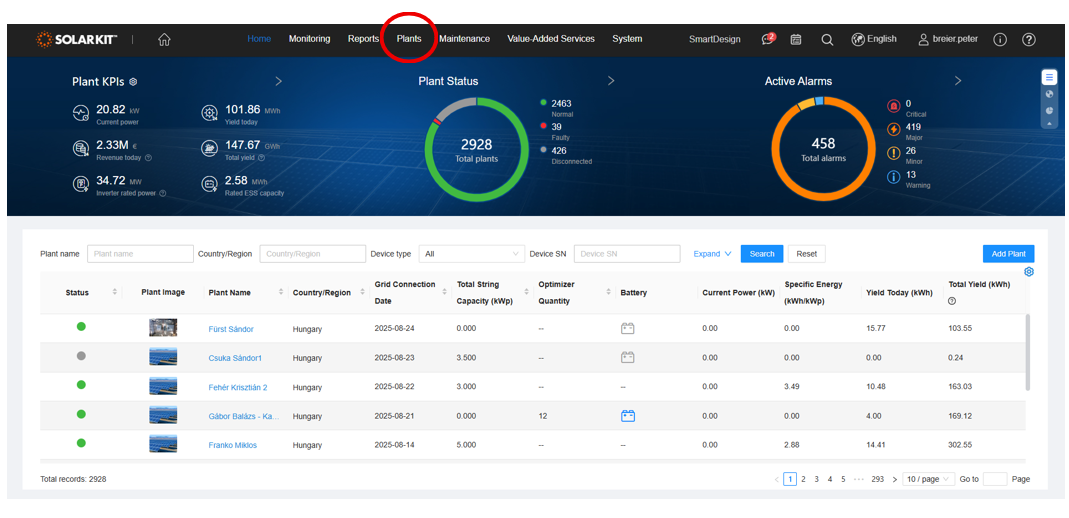
Step 3: Within this section, choose Update Management.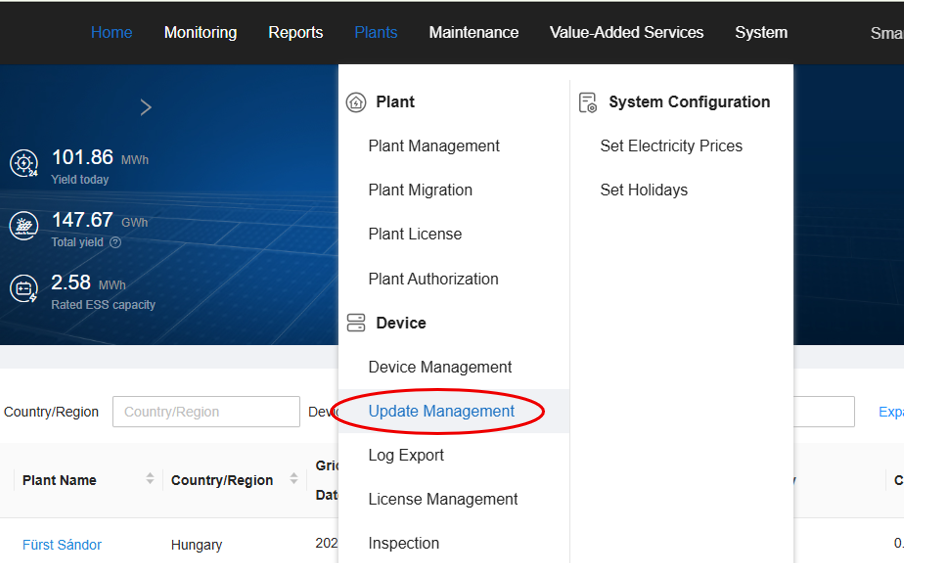
Step 4: Create a new task by clicking the Create button.
Step 5: From the dropdown list, select the device you wish to update. It is recommended to update all devices in the plant when performing a system-wide update.
After selecting the device, you can search for the system you want to update by the plant name.
Step 6: Check the box confirming that the owner has consented to the update.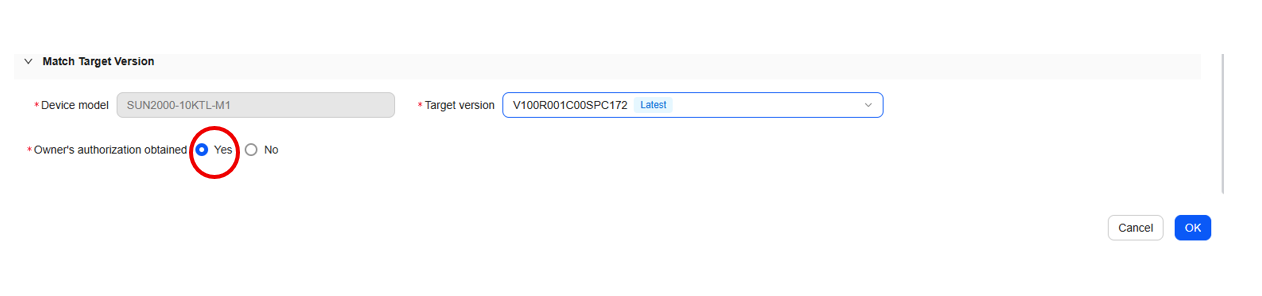
Step 7: Click OK in the bottom-right corner to start the update process.