
There may be cases when we want to remove a user from our system.
In this article, we show how to do this in the FusionSolar application.
- Log in to the FusionSolar application
- Under the System / Rendszer menu, select the Company Management option
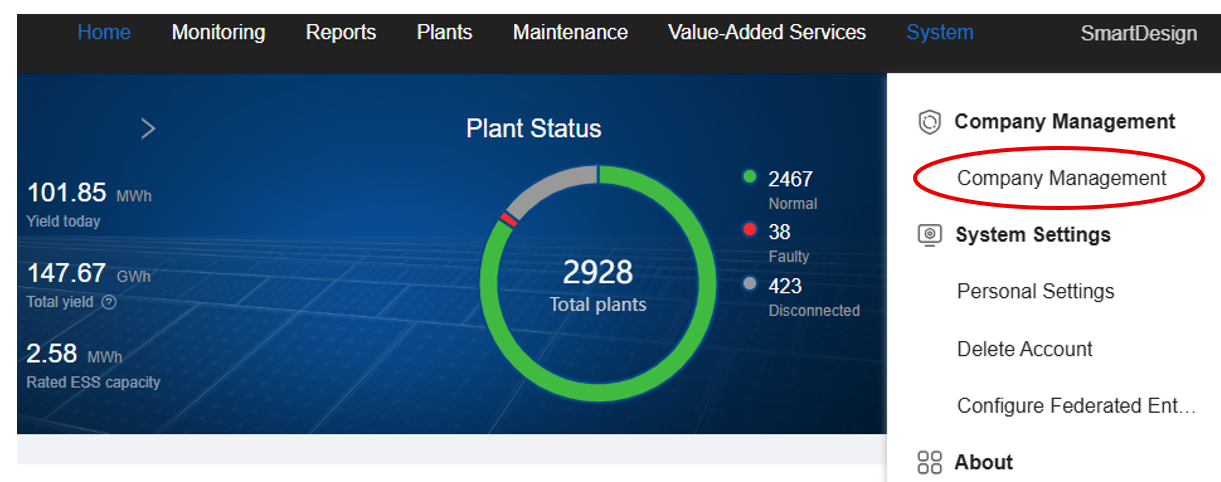
- This tab will appear:

By searching for the user’s email address or username, we can find their profile. The user will then appear.

5.Clicking it will delete the user after confirming the warning prompt.