
In certain regions and systems, unbalanced phase control plays an important role. To support this, SolaX systems also provide an option to enable unbalanced output.
This article explains how to enable or disable phase imbalance in SolaX systems — provided you are using a compatible device (e.g. X3 Hybrid, X3 Ultra, or X3 Aelio series).
Steps:
- Open SolaX Cloud.
- Select the plant where you want to configure the setting.
- Go to the Devices / Eszközök menu.
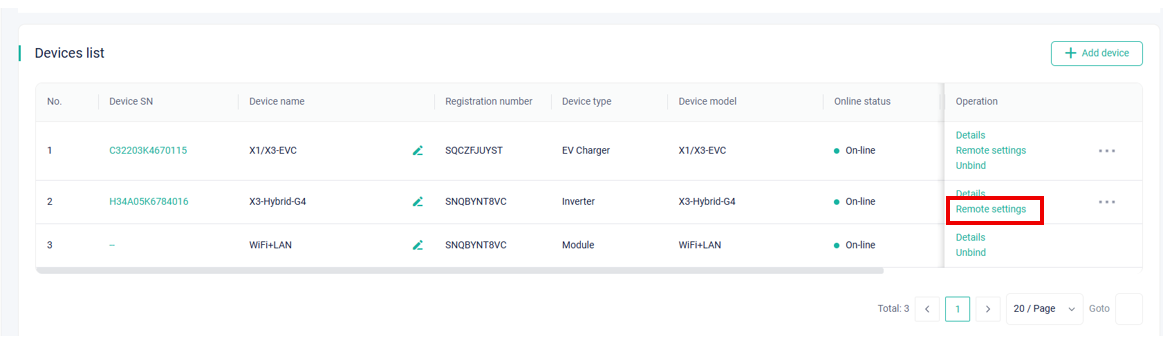
- Next to the inverter, select Remote Settings / Távoli beállítás.
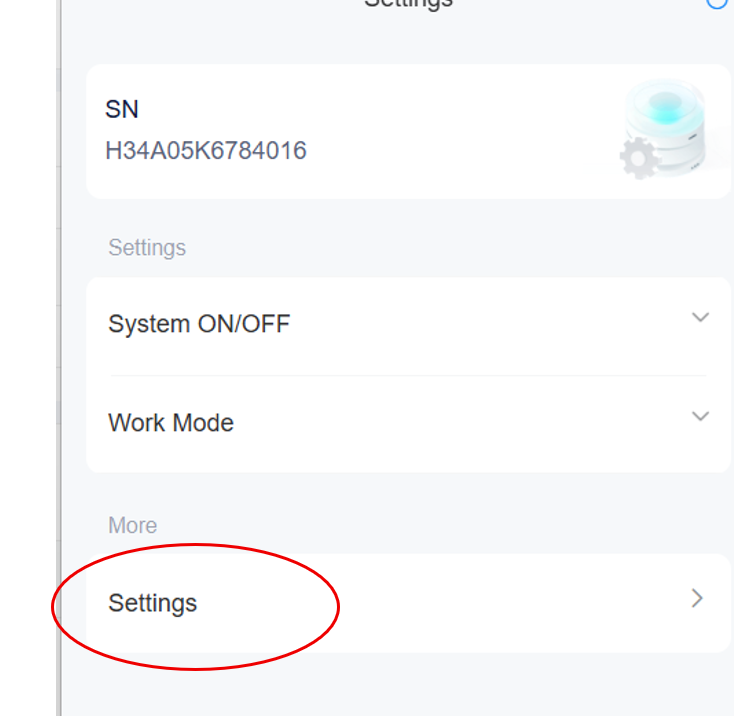
- Choose the Settings / Beállítások menu.
- Enter your installer password.
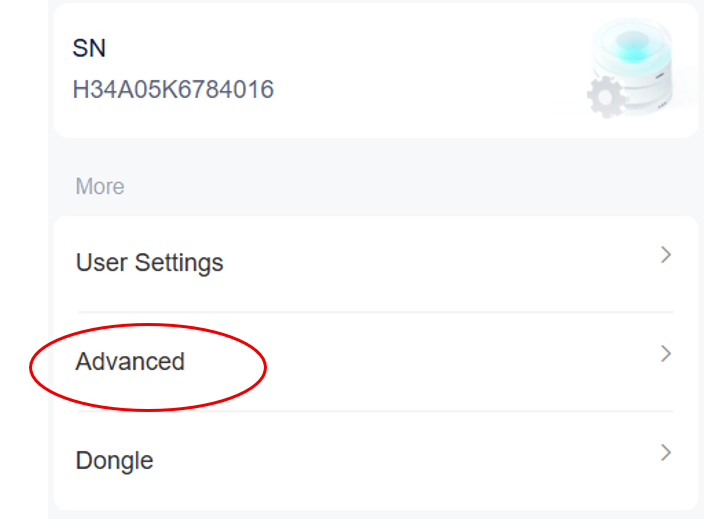
- Select the Advanced / Haladó option.
- Scroll down to find the Phase Unbalance / Kiegyensúlyozatlan fázis setting.
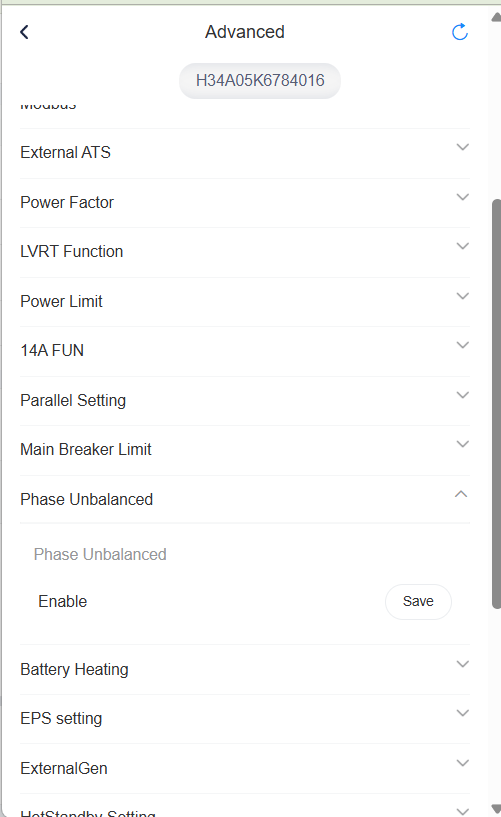
- Set to Enable to allow asymmetric operation.
- Set to Disable for balanced three-phase output.
- Set to Enable to allow asymmetric operation.
- Save the configuration.
Once completed, the inverter will be able to operate in asymmetric (phase-unbalanced) mode.