
Step 1:
Log in to the DeyeCloud application.

In the bottom-right corner, select the Device menu to display all devices associated with your system.
Step 2: After selecting your inverter, open the Professional Settings tab.
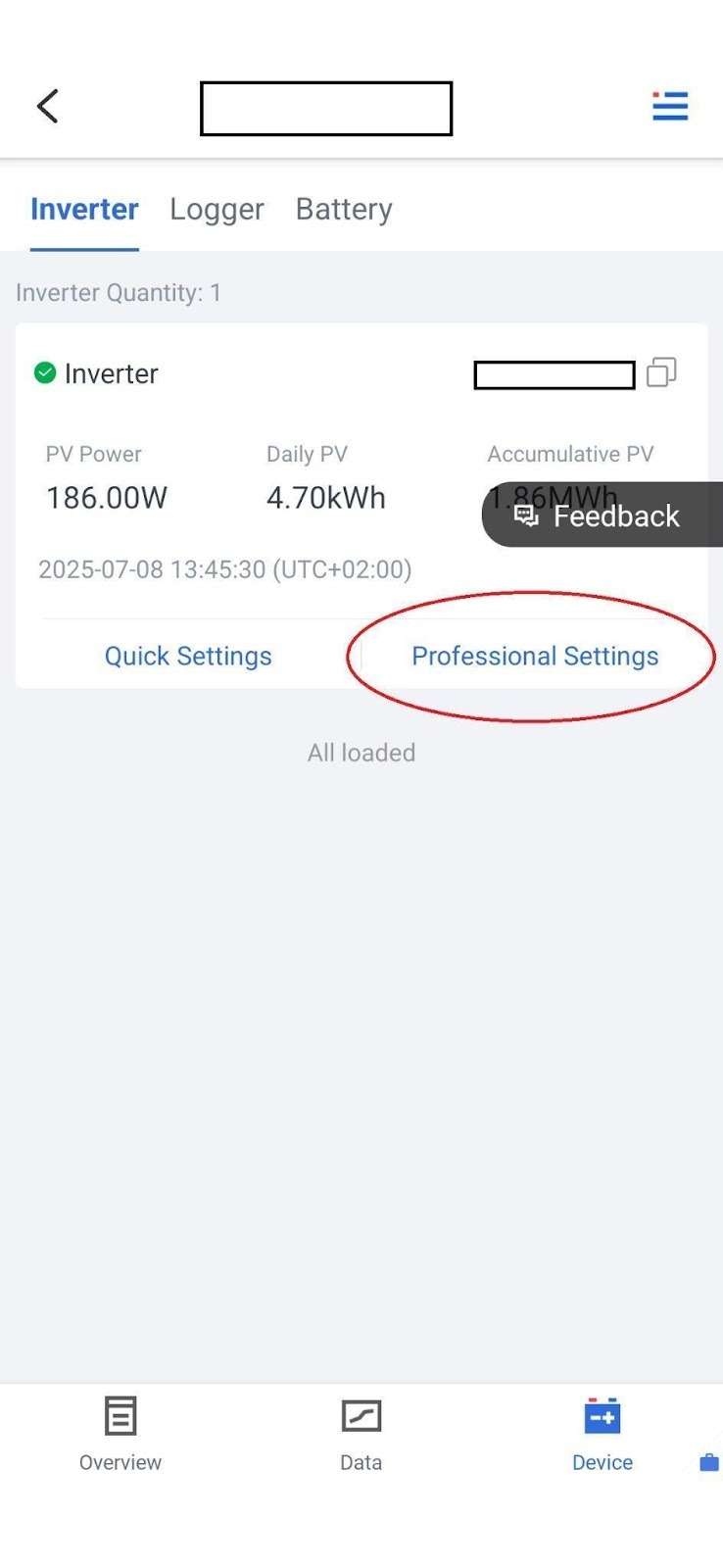
⚠️ Important: Before changing any settings, use the Read option to load the current configuration of the system.
Step 3:
Find the Advanced functions-1 section, and within it locate the EX_MeterCT option.
Set this to Enable.
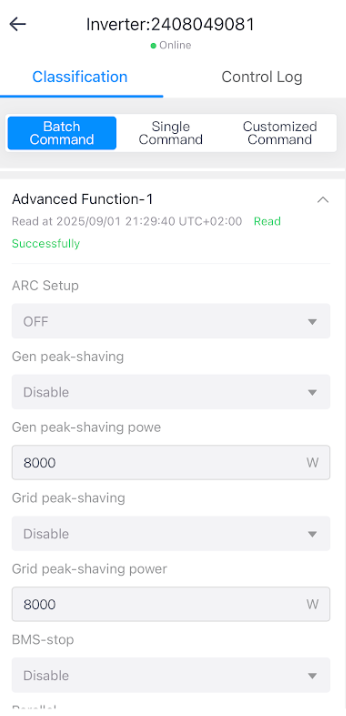
Step 4:
Next, you need to select the meter type you wish to use. This can be done on the same page, two options below, under the Meter Select menu.
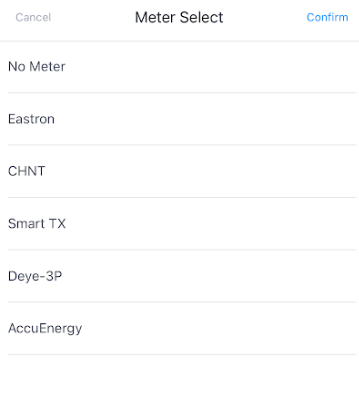
From the list, choose your meter type and save the changes using the Setup button.
That’s all — the meter configuration is now complete.