
Deye Screen Lock
Deye inverters are equipped with a display where settings can be accessed. However, to ensure that only qualified personnel can modify these settings, the display can be locked. Without unlocking this lock, you can view the values, but you won’t be able to change any settings. In this article, we describe where and how you can enable or disable the screen lock.
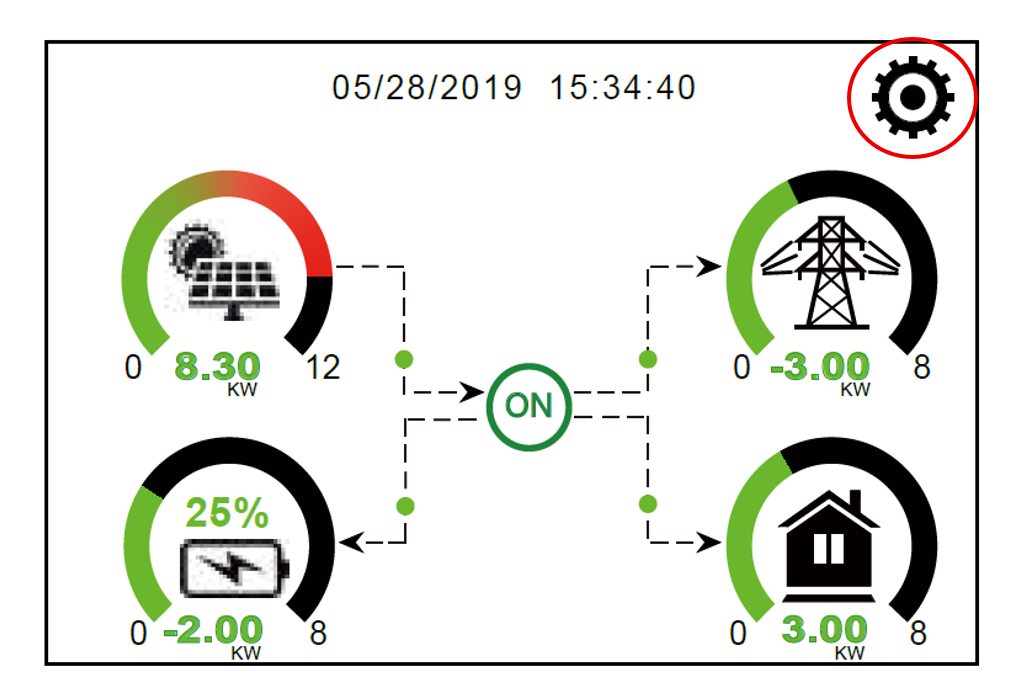
Step 1: Press the gear icon in the top right corner.
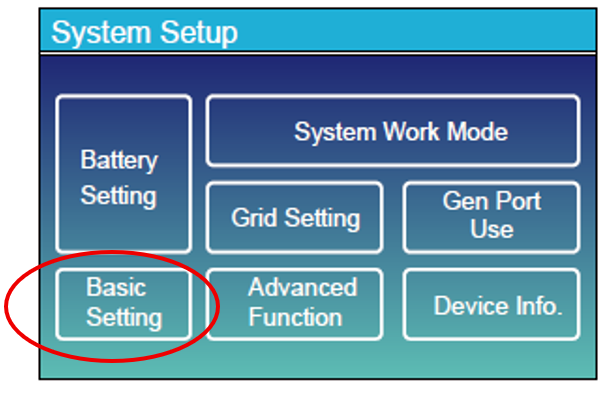
Step 2: Select Basic Settings.
Step 3: In the Lockout All Changes menu, check or uncheck the box depending on whether you want to lock or unlock the screen.
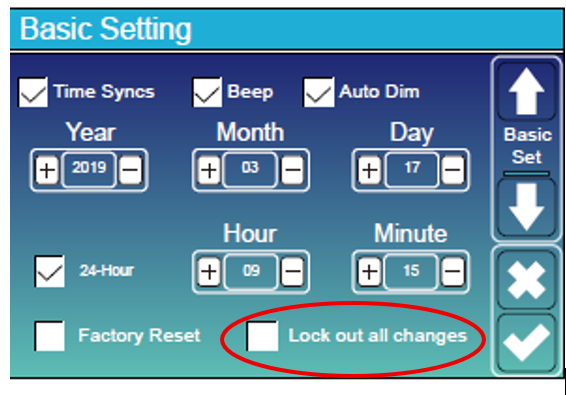
When enabling the lock, the system will allow it immediately. However, to disable the lock, the installer code is required: 7777