
Let’s see how to create an installer account on the Huawei Cloud platform, in FusionSolar.
- Log in to the FusionSolar application.
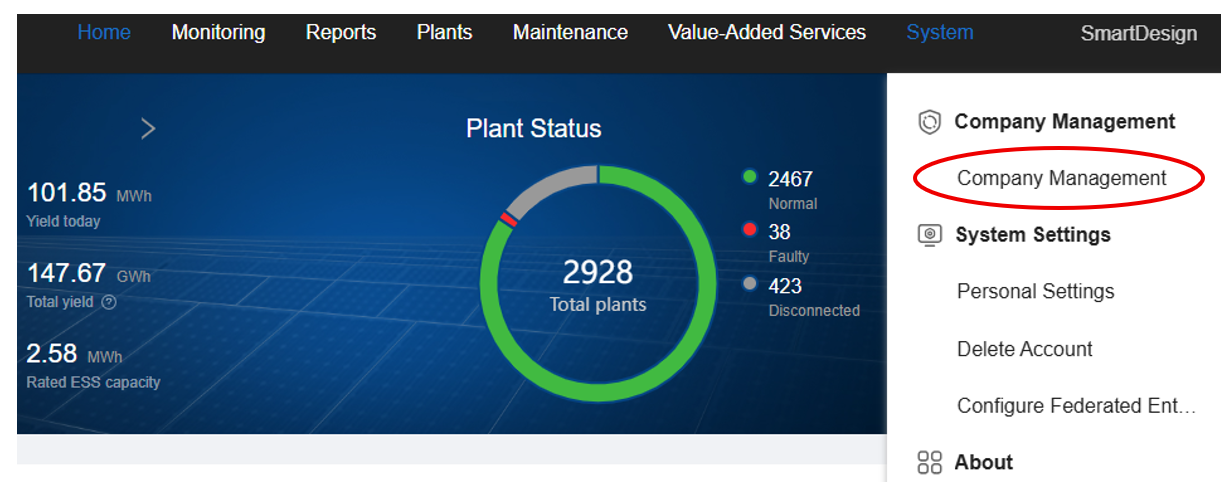
- Under the System / Rendszer menu, select the Company Management option.
- This tab will appear — select Add User.
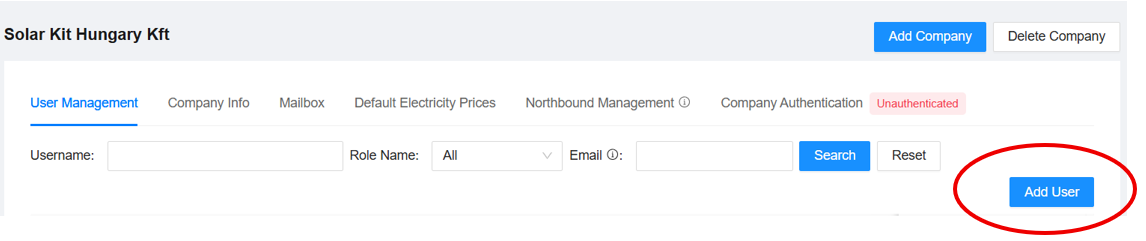
- You will need to choose which company you want to add the installer to — naturally, select your own company. After entering an email address, proceed to the next page. (If the email address is already in use, registration will not be possible.)
- From the list of available roles, select Installer.
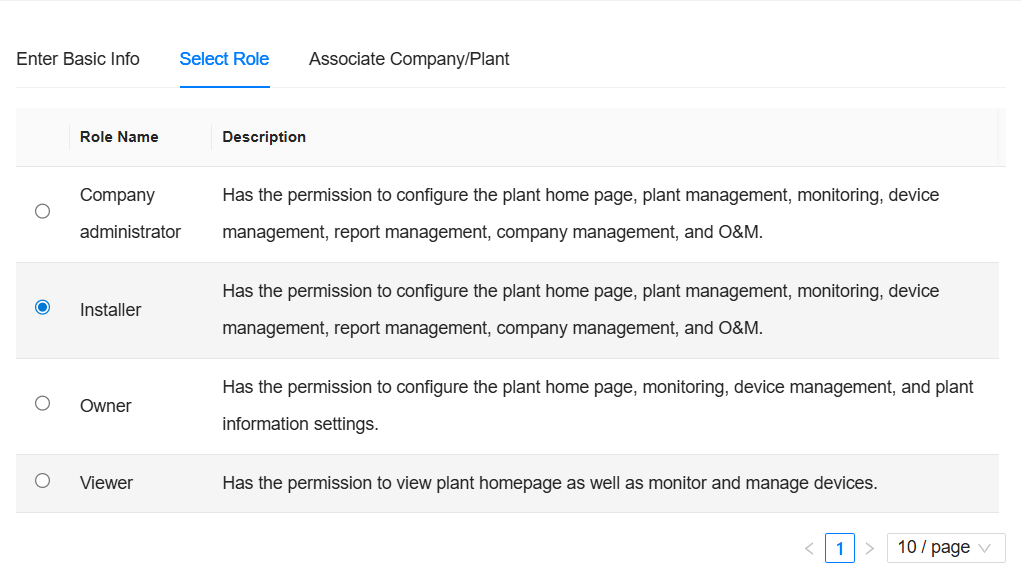
- Click OK to save. However, the installer will not yet be part of your company. To finalize this, on the last page — where you are prompted to assign a plant — you must select your company instead of a plant. This way, the installer will gain access to all accounts associated with your company.