
Let’s see how to do this on the Huawei Cloud platform (FusionSolar).
- Log in to the FusionSolar application.
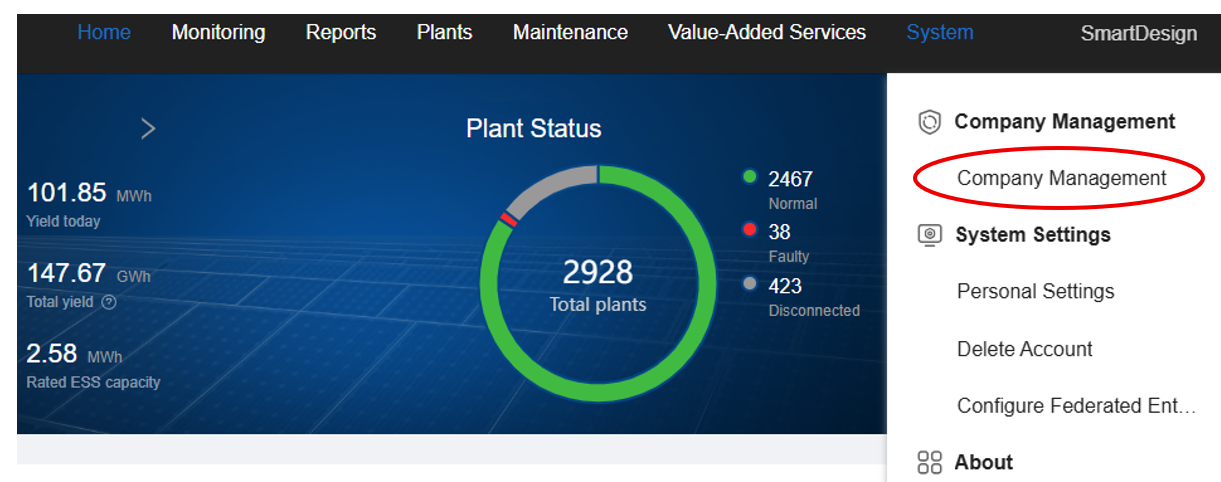
- Under the System menu, select Company Management.
- A new tab will appear — choose the Add Company option.
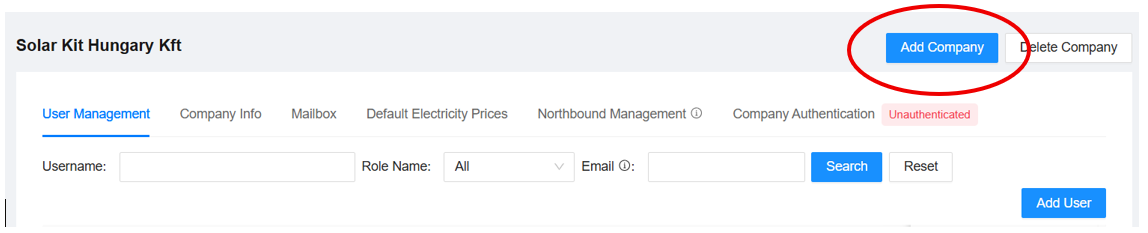
By entering a company name, you can immediately create the new company.
There are no additional required fields, but you can set the currency here — make sure to choose the one that corresponds to the installation country.
Click OK to create the company — and that’s it, you’re done.