
This article explains how to connect the EV charger to Wi-Fi, allowing full functionality while avoiding unnecessary cabling.
Steps:
- Open SolaX Cloud.
- Select the Services menu.

- In the upper-left corner, choose the Network option.
- Select the type of charger you wish to connect from the list.
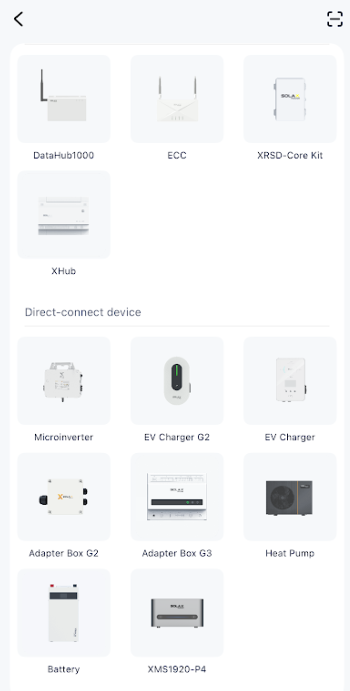
- Scan the device’s QR code.
- Choose your home Wi-Fi network (only 2.4 GHz is supported) and enter its password.
If there is also an inverter installed at the site, make sure to add the charger to the same plant just as you did with the inverter.
Once these steps are completed, the device will successfully connect to the Wi-Fi network, enabling full system integration and functionality.