
The following section explains how to add installers in the Deye Cloud application.
- Log in to the Deye Cloud web interface.
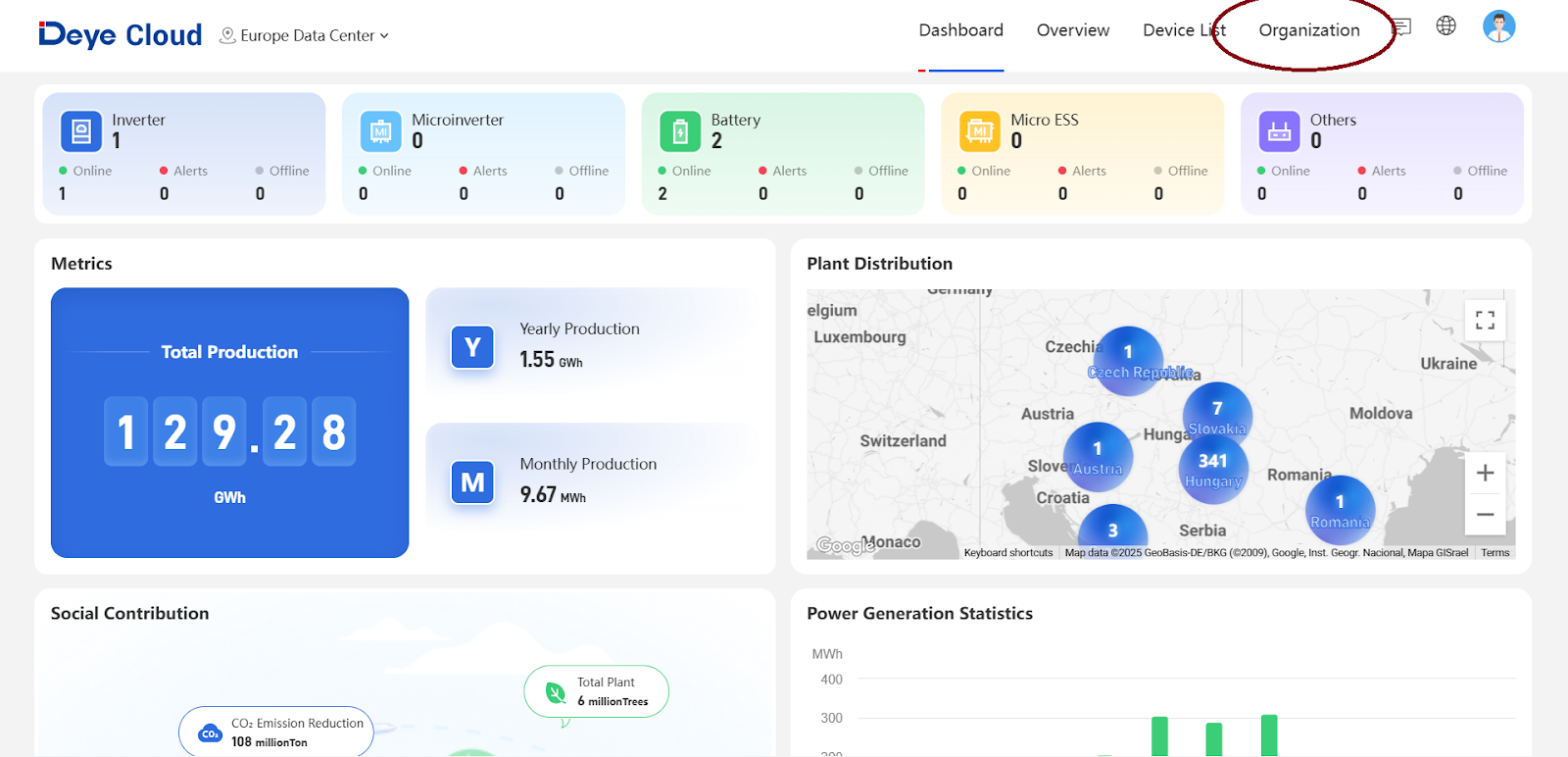
- In the Organization menu, select Company Structure.

- Within the Company Structure menu, you can view all partners you have already registered and edit their roles if necessary.
To add a new installer, click Add a New Member.
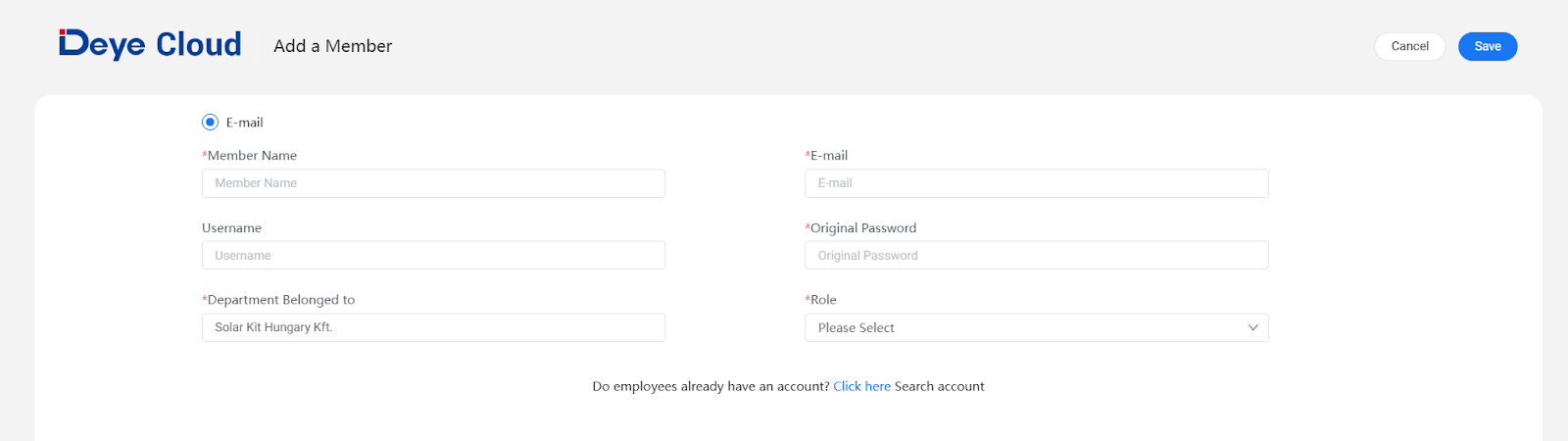
- For registration, provide the following information:
- Username
- Email address (must not be already registered in Deye Cloud)
- Password (chosen by you)
- Username
- Set the following fields correctly:
- Role: Partner
- Department Belonged to: Partner
- Role: Partner
- Finally, click Save to complete the registration.